






- Contact center technology is the software and hardware infrastructure businesses use to manage customer communications across channels like phone, email, chat, and social media.
- The right contact center tech stack reduces operational costs, improves customer experience, and frees agents from repetitive tasks.
- Key technologies include omnichannel routing, IVR, CRM integration, AI chatbots, workforce management, and analytics.
- AI specifically helps by automating routine interactions, assisting agents in real time, analyzing sentiment, summarizing calls, and enabling quality assurance at scale.
- To get the most out of call center technology, businesses should map the customer journey, integrate systems to eliminate data silos, automate low-complexity tasks, use data for staffing decisions, and choose scalable platforms.
- Tools like Capacity bring multiple capabilities into one platform, replacing several disconnected vendors.
Running an efficient contact center is a challenging task. You have to ensure an excellent customer experience while also supporting your teams and scaling the business. With the call center market going from USD 1.91 billion in 2024 to USD 5.75 billion by 2030, you can’t just sit and wait to see what happens. You have to act now.
The best way to scale your business without sacrificing service quality or overworking your agents is advanced contact center technology. But to make it work, you need to know what type of technology is best for your business and have practical steps you can take to get started. That’s what you’ll discover in this guide.
Keep reading to learn:
- What contact center technology is
- What the benefits of contact center technology are
- How AI and contact center technology improve support
- 6 strategies for using contact center technology in 2026
What is contact center technology?
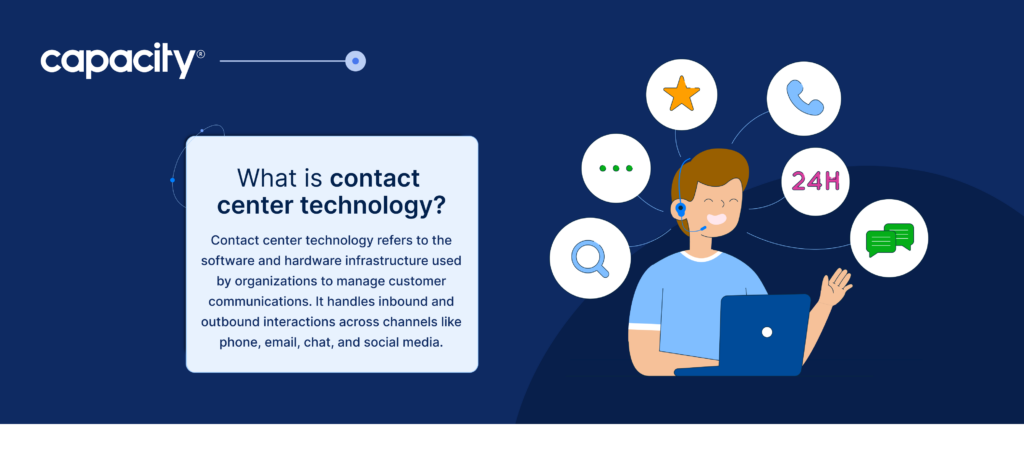
Contact center technology refers to the software and hardware infrastructure used by organizations to manage customer communications. It handles inbound and outbound interactions across channels like phone, email, chat, and social media.
Imagine every time a customer needs help — whether they contact you by phone or send a message on Facebook — all of it flows into one organized system without your team needing to re-enter information between systems. That’s contact center technology.
Call center solutions are the backbone that helps businesses receive, route, and resolve customer interactions at scale. Think of it as the nervous system of customer service.
Businesses use contact center technology for:
- Omnichannel routing to direct customers to the right agent, whether they call, text, or tweet
- Interactive voice response (IVR) features for options like the “Press 1 for billing…” menus that triage calls automatically
- CRM integration, so agents instantly see who you are and why you’ve called before
- AI-powered automation and chatbots to handle simple queries 24/7 without a human agent
- Workforce management to schedule the right number of agents so nobody waits forever
- Analytics and call recording to measure quality, train agents, and spot trends
What are the benefits of contact center technology?
The right call and contact center technology has many benefits for your business, customers, and team. The benefits also depend on what type of technology you decide to integrate. For example, AI-powered agent assist features would help agents, while AI-powered self-service is a great way to deflect more inquiries and help customers find information without wasting time.
Benefits for the business
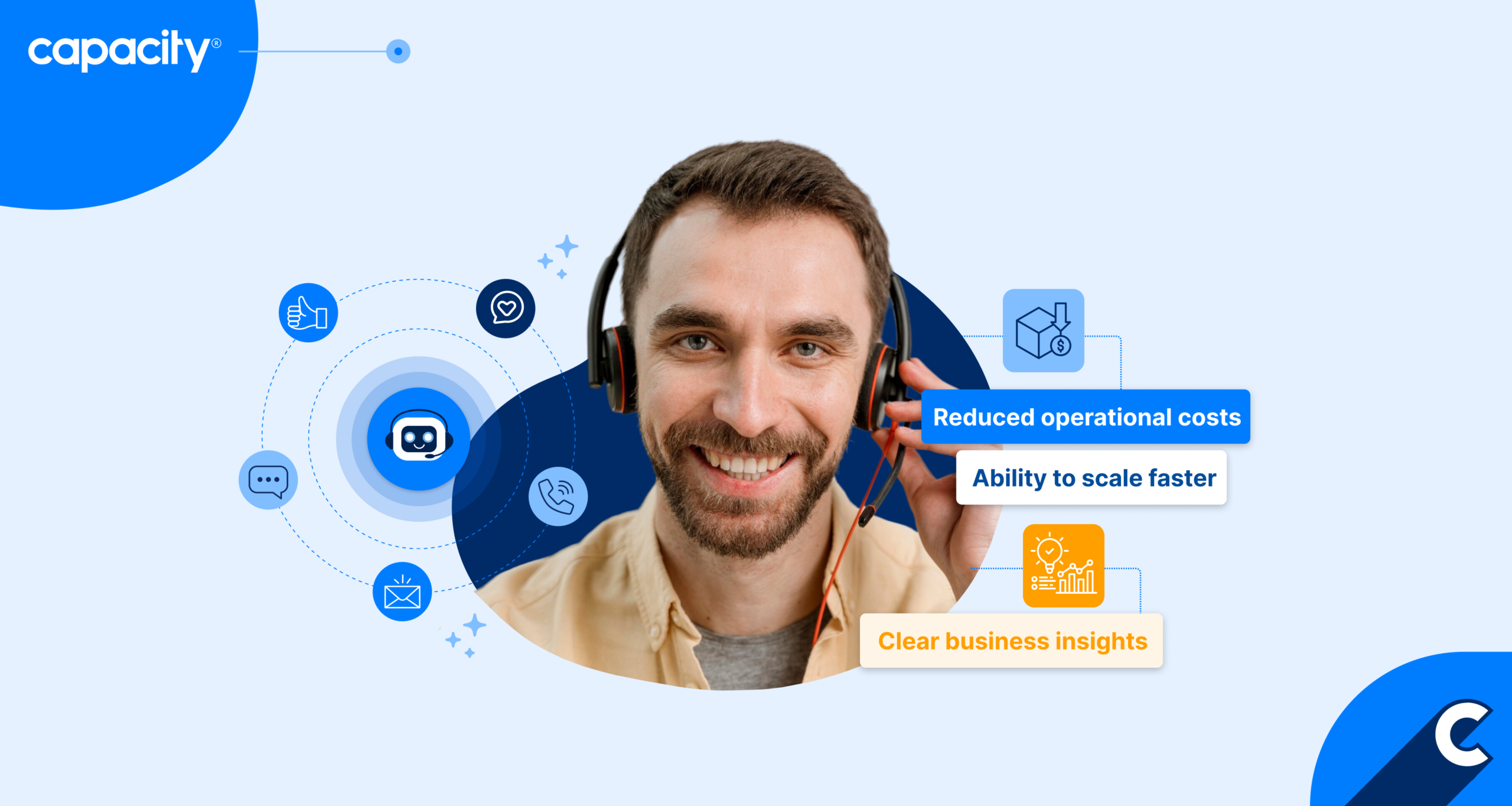
- Reduced operational costs: We found that live agent interactions cost $7–$13.50 vs. $0.50–$2.00 for AI self-service. Bots and IVR can handle simple queries without human involvement, reducing costs per interaction. However, AI deflection isn’t the only way to help you save. Many businesses waste a lot of money due to poor employee scheduling. The right workforce management tools ensure you’re not over- or understaffing shifts, so you don’t lose customers to long wait times and don’t have to schedule more agents than you need on slower shifts.
- Clear business insights: When your contact center tech stack connects, it gives you a full view of how well different parts of your business are working. Dashboards show metrics like average handle time, wait times, and resolution rates, giving managers concrete data to act on. Call center workforce management software lets you see how many hours were planned versus actually worked across your team. Support automation software shows how many inquiries were resolved through self-service.
- Ability to scale faster: Cloud-based platforms let you add capacity quickly during busy periods without buying new hardware. This way, you can handle volume spikes without overhauling infrastructure.
- Higher service quality: Quality monitoring through call recording and interaction scoring lets you analyze 100% of customer interactions and make sure your team is doing their best work. Supervisors can review interactions to ensure compliance, coach agents, and maintain service standards.
Benefits for the customer
- No need to wait: Faster resolution through intelligent routing reduces transfers and wait times. Self-service options give easy access to information and allow customers to solve simple inquiries without waiting for an agent. In fact, 67% of customers would rather solve issues on their own than contact support.
- 24/7 availability: Self-service tools and chatbots let customers get answers or complete tasks outside business hours without waiting for a human agent.
- They know what to expect: Customers always experience consistent service as the contact center tech stack connects seamlessly. Consistent experience across channels is important to 79% of customers. Whether they email and then call, the conversation history follows them, so they don’t have to repeat themselves.
- Less repetition: When your team can see the customer’s account, history, and reason for contact before even saying hello — through CRM integration and other connected systems — customers don’t have to repeat themselves and can receive more personalized and attentive service.
Benefits for agents
- Easy to access information: Everything an agent needs — whether it’s customer data on a previous purchase or a script for a new product — lives in one interface rather than scattered across multiple systems.
- Less busy work: Workflow automation can handle repetitive tasks like call logging, follow-up emails, or ticket creation automatically, freeing agents to focus on the customer.
- Easier to improve and learn: Better coaching through recorded interactions and performance dashboards means agents receive specific, evidence-based feedback rather than generic advice, helping them improve faster.
Contact Centers
What are the main contact center technologies?
You can choose from countless contact center solutions to improve customer service and specific business processes. You don’t have to integrate them all at once. To choose the right ones, take a look at this table to see the most common contact center technologies, what they do, and examples of how they’re used in practice.
Contact center tech stack overview
| Technology | Description | Example |
| Automatic call distribution (ACD) | The core system that receives incoming contacts and distributes them to the appropriate agent or queue. | A customer calls a bank’s support line and is automatically routed to the next available agent in the billing department based on their account type. |
| Interactive voice response (IVR) | The automated menu system that collects information from callers and routes or resolves them without an agent. | A customer calls your support and hears instructions: “Press 1 for account balance, press 2 for recent transactions.” A caller checks their balance without ever speaking to an agent. |
| Voice over Internet Protocol (VoIP) | Transmits voice calls over the internet rather than traditional phone lines, reducing cost and enabling remote work. | A home-based agent takes live customer calls through a headset and laptop with the same quality as an in-office setup. |
| Customer relationship management system (CRM) | Stores customer data, interaction history, and account details so agents have full context during every interaction. | When a repeat caller rings in, the agent immediately sees their name, past complaints, and previous resolutions before saying hello. |
| Omnichannel platform | Unifies phone, email, chat, SMS, and social media into a single agent interface to provide a consistent omnichannel customer experience. | A customer starts a support chat on a website, then calls in. The agent sees the full chat history and picks up without the customer repeating themselves. |
| Workforce management software (WFM) | Forecasts contact volumes and schedules agents accordingly to maintain service levels efficiently. | Based on last year’s data, the system predicts a spike in calls on Black Friday and automatically schedules extra agents for that shift. |
| Quality management (QM) tools | Records, scores, and evaluates interactions to maintain standards and support agent coaching. | A supervisor reviews a flagged call where an agent failed to offer a refund, then uses the recording in a coaching session to improve the agent’s performance. |
| Chatbots and virtual agents | This type of contact center AI technologyhandles routine inquiries automatically across chat and voice channels. | A chatbot on a telecom website handles “how do I reset my password?” questions, with no human agent involved. |
| Natural Language Processing (NLP) | Enables systems to understand and interpret human language, powering smarter bots and routing. | A caller says, “I want to cancel my subscription” in their own words, and the system correctly identifies the intent and routes them to the retention team. |
| Robotic process automation (RPA) | Automates repetitive back-office tasks like data entry, form filling, and system updates. | After an agent completes a call, a bot automatically updates the CRM, generates a follow-up email, and logs the case without manual input. |
| Real-time dashboards | Display live metrics like queue length, wait times, and agent availability for immediate operational decisions. | A team leader sees the queue climbing to 25 calls and immediately pulls two agents off email to handle the surge before wait times breach SLA. |
| Speech and text analytics | Analyzes interaction content at scale to identify trends, compliance issues, and customer sentiment. | The system flags 300 calls in a week where customers mentioned “cancelling,” alerting management to a product issue before it escalates. |
| Contact Center as a Service (CCaaS) | Cloud-based delivery model that hosts all contact center functions remotely, enabling flexibility, scalability, and lower upfront costs. | A retailer spins up 200 extra agent seats for the holiday season in days, then scales back down in January — paying only for what they used. |
How does AI and contact center technology improve support?
Customer support is one of the main areas of AI integration and benefits. With rising customer demands and volume, call center automation is a solution to help businesses scale without sacrificing quality. In fact, 56% of global business leaders believe generative AI will boost efficiency and productivity. But contact center AI technology does more than that. Let’s take a look at the benefits of AI technology to call and contact centers.
Automating routine interactions
There aremany types of AI technology in contact centers, but the most widely adopted are AI-powered chatbots and intelligent virtual agents. Chatbots and virtual agents handle common requests, such as:
- Password resets
- Order status
- FAQs
- Policy questions
And more complex tasks, such as:
- Bookings and cancellations
- Troubleshooting
- Upselling
All without involving a human agent, freeing staff for more complex issues.
For example, the YMCA of Greater Dayton, a non-profit organization, offers a proactive web chatbot that lets website visitors and members learn more about their events and activities without wasting time searching the website or contacting their staff.
Real-time agent assistance
During a live interaction, AI listens and surfaces relevant knowledge base articles, suggested responses, or compliance prompts on the agent’s screen, reducing handle time and errors.
For example, customer and employee support automation platform Capacity offers many agent assist features designed to support your team at every step. Features like auto quality assurance evaluate calls in real time and suggest responses and coach agents. A knowledge base and enterprise search engine help find information in seconds without wasting valuable time. Together, these contact center solutions help you build a more confident and productive team.
Sentiment analysis
Contact center AI technology detects frustration or urgency in a customer’s tone or language and can flag the interaction for priority handling or supervisor escalation before it escalates further.
Let’s take a common situation: a frustrated customer calls because their order didn’t arrive on time. AI listens and suggests the best possible answers based on the situation at hand. Perhaps a small discount on the next purchase, a sincere apology, or an immediate reship. The agent doesn’t have to think on their feet alone because AI gives them the right move at the right moment.
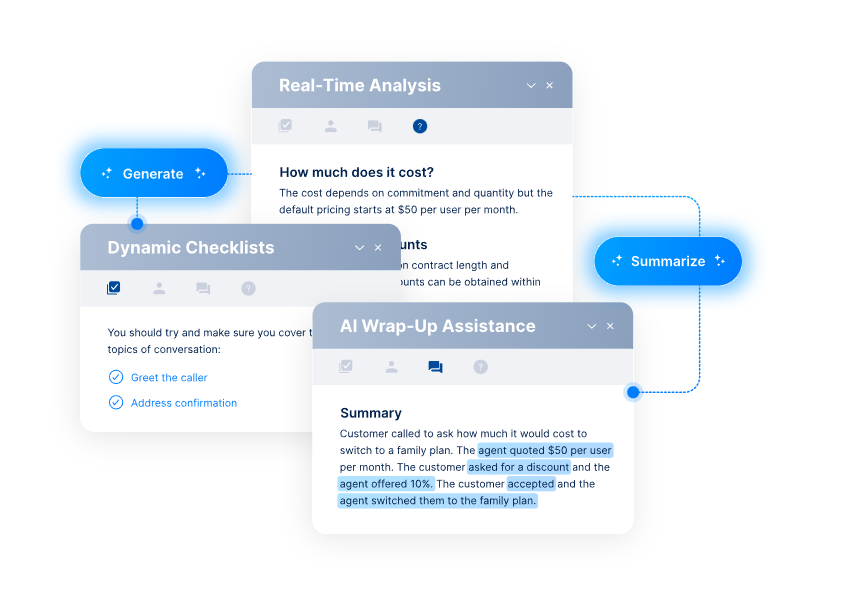
Post-interaction summarization
Instead of agents manually writing call notes, AI auto-generates interaction summaries and logs them in the CRM, saving time and improving accuracy.
It can take anywhere from 10 to 20 minutes to write down summaries after each call. But it’s not just writing. It’s also keeping tabs on every detail during the call, which takes the agent’s focus away from the customer. But when they know AI handles all the manual work, they can relax and give all their attention to the customer.
Predictive analytics
AI identifies patterns in contact data — peak times, common issues, churn signals — allowing managers to proactively adjust staffing, processes, or products.
Say you always have 500 agents during every shift. But on Mondays, calls increase, adding to their workload, while on Wednesdays, fewer calls come in. Either way, you’re wasting money because on Mondays you’re understaffed and losing customers to long wait times, and on Wednesdays you’re paying agents to sit idle.
Quality assurance at scale
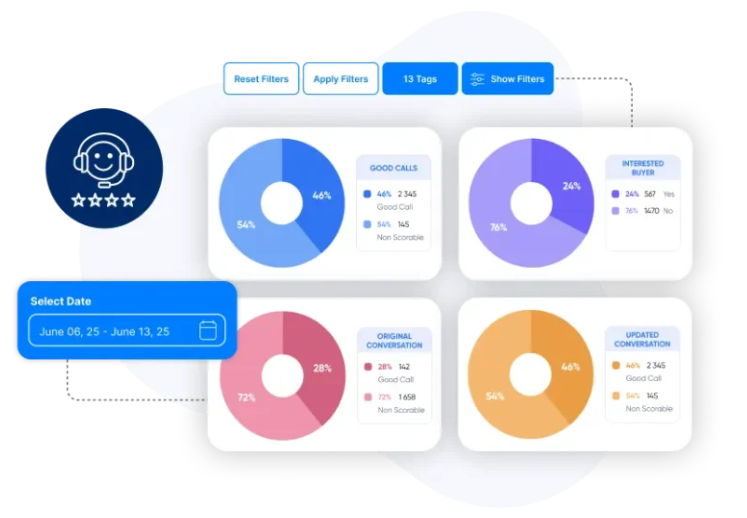
Rather than manually reviewing a sample of calls, AI can evaluate 100% of interactions against defined criteria, giving a far more complete picture of service quality.
Based on real-time findings, auto QA can also suggest ways to tweak service and help agents improve faster.
As you can see, there’s a pattern in what contact center AI technology does — it takes away repetitive and manual work, such as:
- Returns and refunds
- Simple FAQs
- Password resets and account management
- Bookings and cancellations
These call center solutions automate it so that human teams can focus on more complex issues and provide even better support for each customer.
6 strategies for using contact center technology in your business
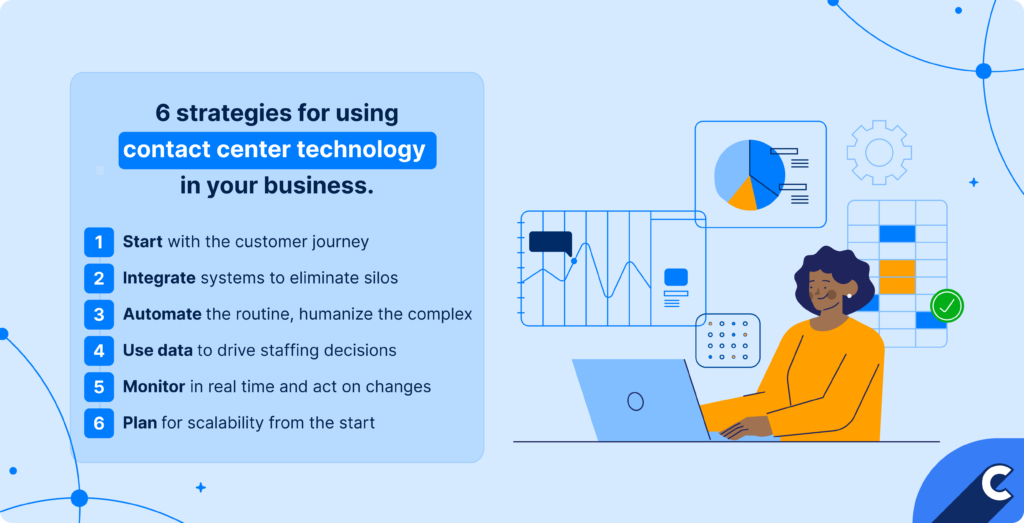
After reading about all these different contact center solutions, you might feel overwhelmed and not know where to even begin. So, let’s go over some practical steps and strategies you can take today to start modernizing your business and put your contact center technology stack to work.
1. Start with the customer journey
Everything starts with the customer. To know what technologies to integrate, it’s important to know how your customers interact with your business.
Map out every touchpoint a customer has before, during, and after contacting support. For example, identify where customers drop off or repeat themselves and use technology to close those gaps, like adding a chatbot to handle after-hours inquiries that currently go unanswered.
2. Integrate systems to eliminate silos
Many companies miss out on the ROI potential of contact center technology just because the systems they use don’t talk to each other. This results in data silos and missing information. And companies are taking notice — in just one year, organizations used 5% fewer tools in their tech stack.
To prevent that, ensure your CRM, ACD, self-service tools, and omnichannel platform share data with each other. When a customer’s CRM record automatically populates on an agent’s screen the moment a call connects, agents stop asking “can I get your account number?” and resolution times drop.
3. Automate the routine, humanize the complex
Many call center agents are overworked because they’re dealing with tons of routine inquiries that can be solved in one sentence. But because there are so many, they can’t properly focus on more complex cases.
Use AI and bots for high-volume, low-complexity tasks and reserve human agents for emotionally sensitive or complicated interactions. For example, modern chatbot technology can easily handle order tracking and password resets. In many teams, that’s a majority of daily requests. But when you remove them from your team’s workload, they can focus on complaints, cancellations, and escalations that require empathy and judgment.
4. Use data to drive staffing decisions
Leverage WFM tools and historical data to forecast demand and schedule accordingly, rather than reacting to volume spikes after they happen.
For example, if data shows call volume increases 40% every Friday afternoon, schedule additional agents proactively instead of scrambling in the moment.
But let’s look at the real-world example. Stanley Black & Decker Outdoor, an outdoor power equipment designer and manufacturer, launched their own contact center. But with your own contact center comes many challenges, one of them being difficult workforce planning.
To solve the problem, they adopted workforce management software. As a result of demand-based scheduling, clear analytics, and a unified view, they improved schedule adherence by 15%, reduced call abandonment rates, and increased contact center capacity by 20% without adding headcount.
5. Monitor in real time and act on it
Real-time dashboards are only valuable if managers are empowered to act on what they see immediately. To help you achieve that, establish clear thresholds. For example, if wait time exceeds 5 minutes, a supervisor is authorized to pull agents from outbound work to cover inbound volume.
But you can go further. Build a full escalation playbook tied to your dashboard alerts. For example, if the abandonment rate climbs above 8%, activate a pre-approved overtime list. If a specific queue shows three consecutive intervals below service level, route overflow calls to a secondary skill group. The key is that every alert has a pre-decided response — managers shouldn’t be making judgment calls under pressure during a spike.
6. Plan for scalability from the start
Choose platforms that can grow with your needs. Take retail as an example. A retail company anticipating holiday volume selects a CCaaS platform so they can scale agent seats up in November and back down in January without long-term costs.
Scalability planning, however, goes deeper than just seat count. When evaluating platforms, consider channel scalability:
- Can you add SMS, chat, or WhatsApp support without a separate implementation project?
- Can you spin up a new skill group or IVR routing path in hours rather than weeks?
- Can you add new agents without breaking your budget?
Vendor contracts deserve the same scrutiny as the technology itself. Look for consumption-based pricing models where you pay for peak usage rather than peak capacity — some CCaaS providers charge per concurrent interaction rather than per licensed seat, which better matches the reality of a contact center that fluctuates daily. Also, confirm that integrations with your CRM, WFM tool, and quality management software are native or well-documented, because those connections become bottlenecks the moment you try to scale quickly.
One system that connects the most important contact center technology
You don’t have to get 10 different tools with separate technologies to manage your contact center. That would be counterproductive to your business’s growth. Instead, look for a tool that connects the most important contact center technologies into one hub for seamless data exchange and a consistent standard of quality.
That’s exactly what Capacity offers. It’s one platform for virtual agents, human agents, QA, and conversational intelligence, replacing 4–5 disconnected AI vendors.
We integrate with CRMs, analytics, campaigns, CPA, scheduling software, payments, and more to remove the headache of switching between tools.
Sounds good? Try our ROI calculator to see how centralizing your contact center technologies and adding an automation layer can help you save.
FAQs
Contact center technology is the software and infrastructure that manages customer interactions across channels like phone, chat, email, and social media. It routes contacts to the right agents, equips them with customer data, and gives managers the tools to monitor and improve service quality.
The core technologies include ACD for routing calls, IVR for automated self-service, CRM for customer data, omnichannel platforms for managing multiple communication channels, workforce management tools for scheduling, and analytics platforms for performance tracking. Increasingly, AI-powered tools like chatbots and speech analytics are also standard.
Not entirely — but it’s changing the role of human agents. AI handles routine, repetitive tasks like answering FAQs, processing simple requests, and logging interactions. However, complex issues, emotional situations, and nuanced problem-solving still require human judgment and empathy.