


 Customer Support
 HR & Ops
 IT Support
 Sales & Marketing

- Knowledge management software captures, organizes, and delivers business information to both agents and customers in real time.
- Unlike a basic knowledge base, a full knowledge management system governs the entire content lifecycle and continuously improves through usage data.
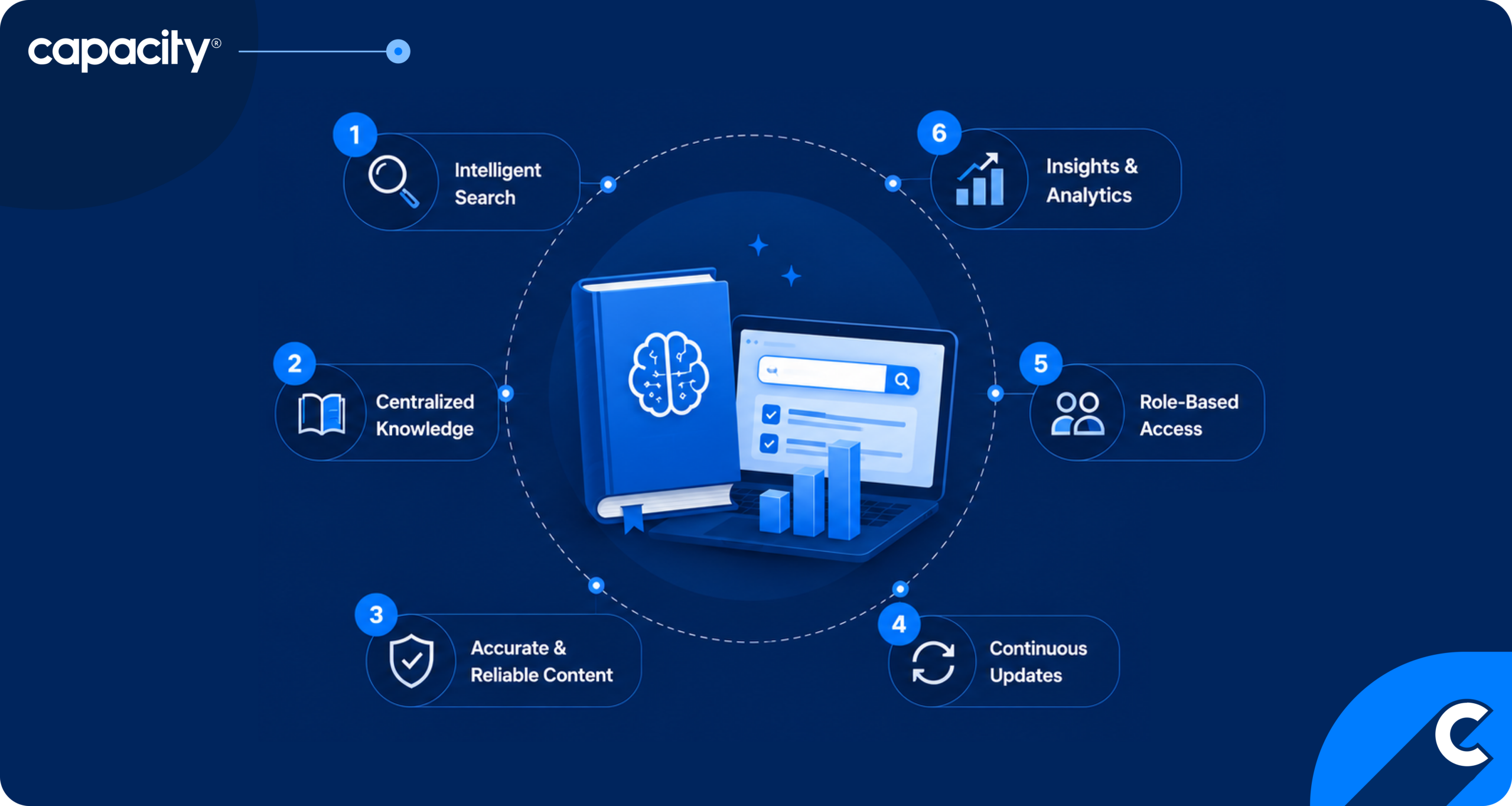
- Key features to look for include AI-powered search, real-time agent assist, omnichannel delivery, content governance, user access controls, and analytics with knowledge gap detection.
- When choosing a solution, audit your existing knowledge framework first, then evaluate AI capabilities, omnichannel delivery, agent workflow fit, integrations, and time to value.
Knowledge management software is the backbone of a contact center. It hosts information about your products, services, processes, updates, customers, and other corporate data and uses it to power your customer and employee support.
The Mordor Intelligence 2026 report predicts that the knowledge management software market will grow from USD 13.70 billion in 2025 to USD 37.64 billion by 2031, showing how important the right tools are for businesses.
Technologies like AI make business knowledge management more effective and versatile. But to achieve all these benefits, it’s important to find tools that go beyond a generic knowledge base and offer a unified AI knowledge layer that directly reduces AHT, improves FCR, and eliminates data siloes that slow agents down.
In this blog, you’ll discover how the right knowledge management software can help your contact center, the key features to look for, and six steps to finding the right solution for your business.
What is knowledge management software?
Knowledge management software captures, organizes, and delivers the right information at the right moment. Contact centers use AI-powered knowledge management software to surface relevant answers to an agent or a customer in real time as a conversation unfolds.
That knowledge is delivered consistently across the agent desktop, chatbot, self-service portal, emails, voice, and other channels from a single source of truth. And the system learns continuously: flagged content, failed searches, and resolution patterns feed a loop that keeps the contact or call center knowledge base accurate and current without manual maintenance overhead.
How does knowledge management software help contact centers?
Enterprise knowledge management software powers contact center communication with customers and employees, reducing inaccuracies, cutting onboarding time, and helping your team provide excellent customer service.
However, according to the 2025 Knowledge Management Priorities and Trends report, only 10% of knowledge management experts say that their knowledge management is thriving. So let’s see how the right solution can change that.
- Reduce AHT: Modern knowledge management software uses AI to optimize the time it takes to surface the right answer directly in the agent’s workspace as the conversation unfolds. Your team doesn’t need to make customers wait, eliminating time spent searching, tab-switching, or escalating to a colleague.
- Improve First Contact Resolution (FCR): Agents get accurate, complete information on the first interaction rather than guessing or calling back. When the knowledge base is current and contextually surfaced, customers are more likely to leave with their issue resolved.
- Cut onboarding time: When you have a 24/7 available knowledge hub, new agents don’t need to memorize procedures because the system has their back. They can handle complex queries on their own within days rather than weeks, because the knowledge is embedded in their workflow.
- Deflect volume: The same knowledge base powers chatbots and self-service portals, enabling customers to resolve common issues without ever reaching an agent. From our own experience with our clients, a well-established knowledge layer can deflect around 50% of voice and SMS inquiries.
- Eliminate inconsistency: Consistency is what turns one-time visitors into repeat customers. The latest Salesforce report on customer experiences shows that 79% of customers expect consistent interactions across departments. When you have the right KM in place, every agent, bot, and channel draws from a single source of truth. Whether a customer calls, chats, or emails, they get the same answer.
Looking to compare knowledge management tools? See the breakdown between Glean vs Capacity 👉
What are the key features of contact center knowledge management software?
The main features of contact center knowledge management software include AI-powered search that helps agents find information in seconds, agent assist tools to speed up customer service, omnichannel delivery to meet customers where they are, and analytics to power continuous improvement. Let’s take a closer look!
1. AI-powered search
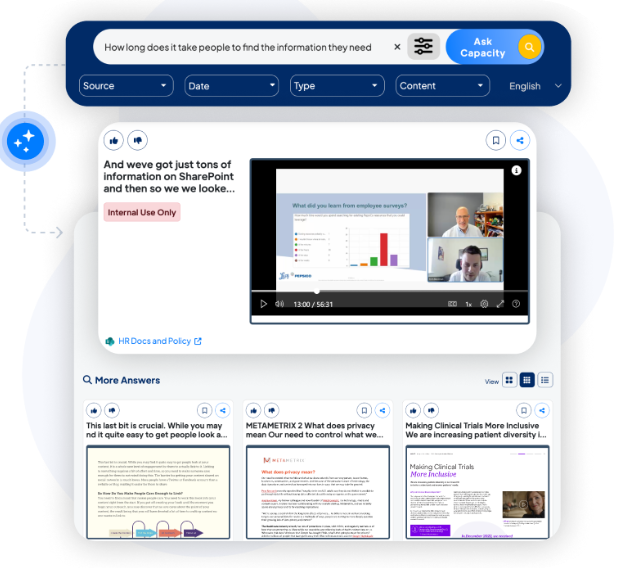
AI-powered search accesses your unified knowledge and can surface specific information in seconds. It returns the most relevant articles, procedures, or answers based on context.
For example, Capacity, a unified knowledge orchestration platform, wanted to help companies find information more familiarly and conveniently. To achieve that, it built its signature tool, Answer Engine®. It works just like a chatbot for your team. Your agents can interact with this corporate search engine to get the latest and accurate information about the company, its products, services, customers, and more. Need to know last quarter’s spending on business trips? Just ask. A new hire wants to know your PTO policy? It’s just a line away.
2. Real-time agent assist
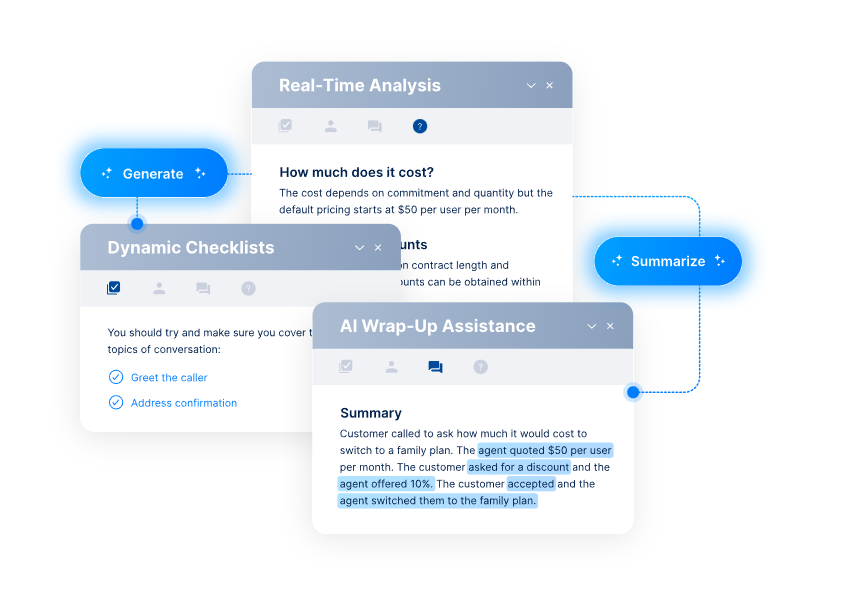
Real-time agent assist is an umbrella term for the features that help your live agents do their job better. Agent assist features shine the most when they have AI to power them. This way, the system listens to the conversation as it happens and proactively surfaces relevant content in the agent’s workspace without them lifting a finger or making customers wait.
The right answer appears at the right moment, mid-interaction, from the latest and unified information. So if a customer interacts with one agent in the morning and then contacts you again in the evening, they receive the same information.
3. Omnichannel knowledge delivery
When you have a unified knowledge layer, you can power the rest of your customer support more seamlessly. Omnichannel approach delivers the same knowledge across agent desktop, chatbot, IVR, email, and self-service portal, so customers get consistent answers regardless of how they reach out.
According to the 2025 Knowledge Management Priorities and Trends report, strategic integration is the main priority for knowledge management systems among experts.
4. Continuously updated knowledge
Continuously updated knowledge means the content stays current through a combination of flagged articles, failed searches, resolved tickets, and AI-assisted drafting that suggests updates based on what’s actually happening in interactions.
This is important because, according to a study published in 2025 by Market Reports, 73% of global enterprises generate unstructured content daily, with 29% of large organizations exceeding 10 million files in their corporate libraries.
Scattered knowledge defeats the purpose of knowledge base software and makes its management more complicated.
5. Content governance
Content governance features ensure articles go through review and approval before publishing, with version control and audit trails. The right people own the right content, and nothing outdated slips through unchecked.
6. User access controls
User access controls determine who can view, edit, publish, or archive content. Employees see what’s relevant to their role. For example, customer support agents have access to scripts, support procedures, product updates, and similar information, while HR teams have access to employee information and onboarding flows.
Meanwhile, you get more control over how your data moves across the company. Sensitive procedures stay restricted, and knowledge owners maintain accountability for their domains.
7. Analytics and knowledge gap detection
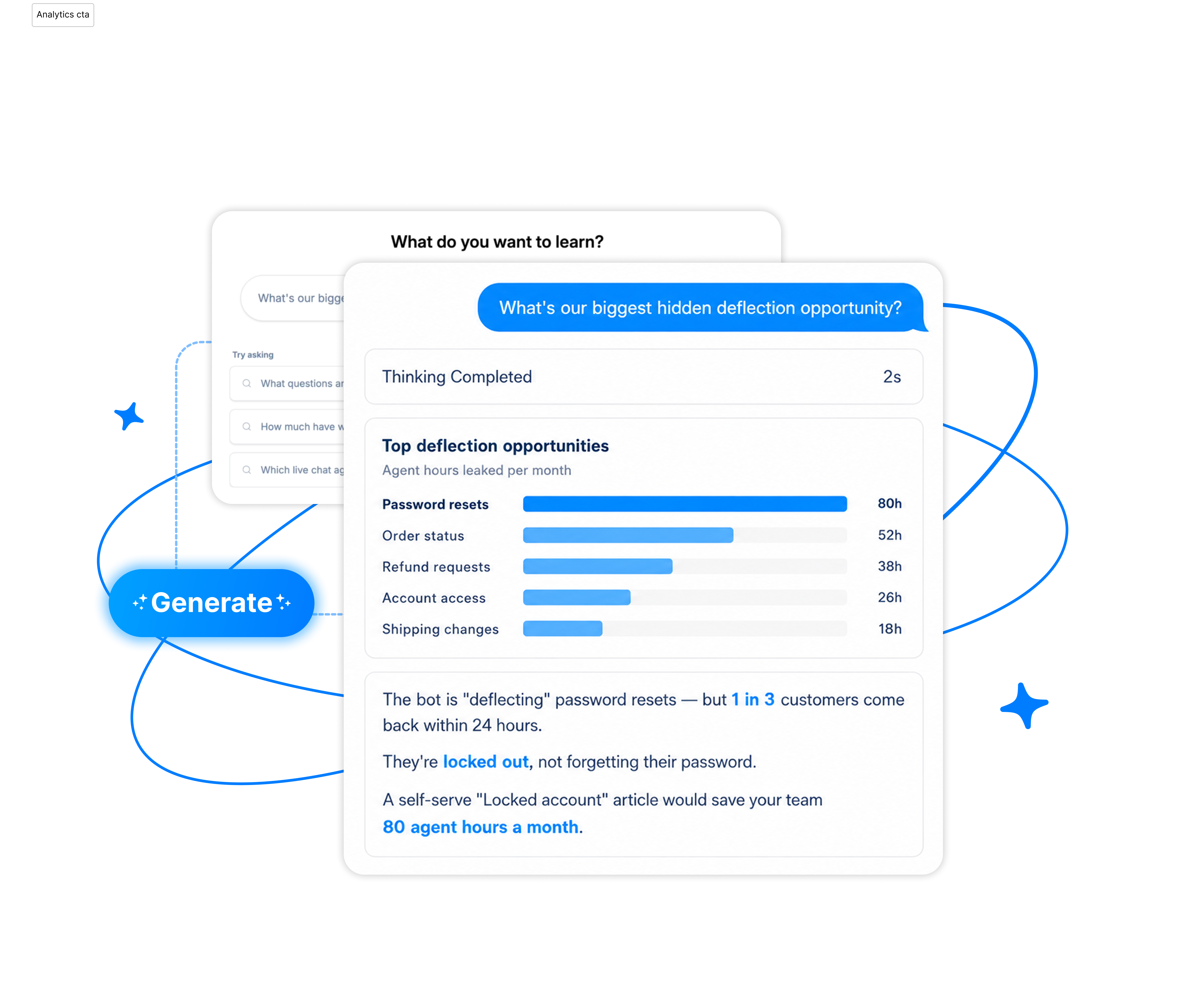
Analytics and knowledge gap detection tracks search behavior, article usage, deflection rates, and dead-end queries to reveal where the knowledge base is failing. It turns usage data into a roadmap for what to create, update, or retire.
Turn Data Into Instant Answers
What’s the difference between a knowledge base vs knowledge management system?
A knowledge base is essentially a library with articles, FAQs, and procedures about your business, products, services, and everything else a customer or an employee needs to know. Most knowledge base software also lets users search or browse to find what they need. It’s a reference tool, and it doesn’t do much on its own.
A knowledge management system, on the other hand, is the operational layer built around that library. It governs how content is created, reviewed, approved, and retired. It surfaces the right knowledge at the right moment through AI-powered search and agent assist. It learns from usage patterns to detect gaps and trigger updates. And it delivers that knowledge across every channel simultaneously.
Here’s a better view of how a knowledge base and a knowledge management system compare.
| Knowledge Base | Knowledge Management System | |
|---|---|---|
| Role | Stores content | Governs, surfaces, and improves content |
| Nature | Static repository | Active operational system |
| Search | Keyword-based | AI-powered, intent-based |
| Delivery | User goes to find it | Pushed to the right person at the right moment |
| Maintenance | Manual updates | Continuous, loop-driven |
| Analytics | Basic or none | Usage, gaps, performance tracking |
How do you choose the right knowledge management software for your contact center?
To choose the right knowledge management software for your business, you have to understand where your current data stands and unify it to get the most out of it. For one contact center, organizing and optimizing data might be enough, while others go a few steps further and automate knowledge to use it for customer and employee service, agent assist, and personalization. Below are six steps to get you started.
1. Assess your current knowledge framework
Most contact centers don’t audit their knowledge for years, only to find scattered wikis, outdated PDFs, and tribal knowledge living in people’s heads. So what happens when an employee leaves? They take that knowledge with them, and it’s gone.
Understanding where your gaps, inconsistencies, and bottlenecks are tells you exactly what you need the new system to solve before you evaluate any vendor.
2. Evaluate search and AI surfacing capabilities
A modern KMS should go well beyond keyword search. Look for AI knowledge management software that offers intent-based AI that understands context, surfaces relevant content proactively, and improves its results over time. This is the engine that drives AHT reduction and FCR, so it deserves serious scrutiny.
3. Confirm omnichannel delivery
One of the biggest benefits of having a knowledge management system is that it uses the business knowledge you already have to power communication with customers and employees across all touchpoints.
The system of your choice needs to serve every channel from a single source of truth. Ask vendors specifically how knowledge is published across channels and how version control is maintained when content updates.
4. Check how it fits into the agent workflow
The best knowledge tool is one that agents actually use. Look for native integrations with your CRM and contact center platform so knowledge surfaces inside existing workspaces.
Better yet, find a knowledge management solution that powers agent assist features and helps your team assist customers more effectively. Just like V.I.P. Mortgage, a US mortgage lender, discovered. The company had been growing rapidly, and with each new hire came pressure on HR teams to onboard people on time and respond to employee questions promptly.
They decided to give automation a go and worked with Capacity to create a digital assistant for its teams. The result was a digital colleague called “Ziggy,” now a core part of V.I.P. Mortgage’s internal support. The results exceeded expectations: every week, Ziggy handles more than 2,250 questions, with AI resolving 90% of them.

5. Verify your integration ecosystem
Beyond the agent desktop, check how the KMS connects to your wider stack. The right solution should integrate with your ticketing systems, QA tools, workforce management, and any AI or automation layers. Clean integrations prevent silos and keep data flowing where it needs to go.
6. Ask about time to value
Implementation complexity varies a lot depending on your business size, product complexity, existing integrations, and processes. Push vendors on realistic onboarding timelines, content migration support, and what “go-live” actually looks like.
Learn more about knowledge management best practices here 👉 Read now
How Capacity’s AI Knowledge Layer goes beyond traditional KMS
Capacity offers a great knowledge management system example. Its goal is to help contact centers get the most out of their data without adding extra work to already-busy plates. Using advanced machine learning and AI technologies, Capacity now offers not just a knowledge base you have to constantly update, but an AI knowledge layer.
What does that mean for your contact center? The first thing is that you don’t need to manually fill it out with information. You train it once and can use it everywhere. Once trained and deployed, AI knowledge orchestration learns from the questions and interactions it receives and keeps information fresh. One knowledge layer powers AI agents, real-time agent assist, auto QA, and post-call task automation, connecting everywhere both AI and humans work.
Results? Many of our clients deflect over 50% of inquiries, reduce their AHT by 40%, and reach annual savings well into seven figures.
How to choose the right AI knowledge management software for your contact center
Choosing the right knowledge management software can transform your company from a passive contact center into a proactive business that generates more revenue, eliminates service inconsistencies, and has a happier and more relaxed team. You can achieve all of this just by using your existing data in a way that serves your business.
And Capacity is here to help you achieve that! Capacity connects your knowledge, data, and systems into one AI knowledge layer, powering your communication with customers and employees across every channel.
But let’s cut to the best part: check out our ROI calculator to see your potential savings after integrating a full contact center automation strategy.
Into Action?
FAQs
Knowledge management software reduces AHT by eliminating the time agents spend searching. AI surfaces the right answer directly in their workspace as the conversation unfolds. The faster an agent finds accurate information, the shorter the interaction.
A knowledge base is a repository of articles and procedures users search through manually. A knowledge management system is the operational layer around it: it governs content quality, surfaces knowledge proactively through AI, delivers it across every channel, and learns continuously from usage to stay accurate and complete.
Most modern KMS platforms are built to connect with CRMs, ticketing systems, and contact center platforms out of the box. The key is ensuring knowledge surfaces inside the tools agents already use.
A good KMS tells you when an update is due. Analytics track failed searches, flagged articles, and queries that end without a click signal that content is missing, outdated, or unclear.