


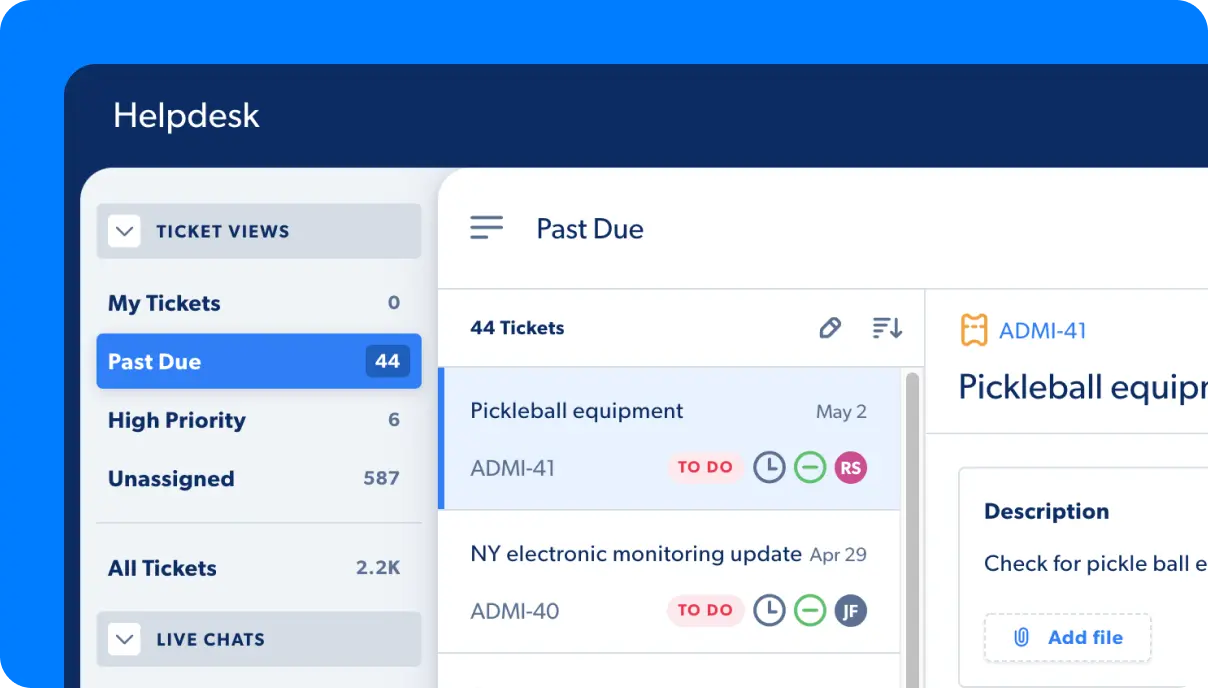






- HappyFox is a customer support automation platform.
- Due to limited integrations, clunky UX, and other challenges, many users look for HappyFox alternatives.
- HappyFox alternatives differ in automation, reporting, integrations, and customization.
- This article compares 10 customer support tools.
- Each tool is evaluated based on key features, strengths, limitations, and best-fit use cases.
If you’re exploring ways to automate your customer support, chances are you’ve come across HappyFox, an AI-powered support platform. With features like seamless helpdesk integrations, AI agents, conversational bots, and more, it’s widely used to enhance customer experience.
That said, while HappyFox works well for many businesses, some users point out notable drawbacks—including limited reporting capabilities, a clunky user experience, and not the strongest analytics.
If you thought to yourself, “There must be something better out there,” you’re right! We gathered 10 HappyFox alternatives that offer great UX, many integrations, and customization that make every part of the experience feel familiar.
Keep reading to find out:
- What HappyFox is
- Why people are opting for HappyFox alternatives
- 3 main features to look for in customer support automation tools
- And 10 platforms that make customer support easier
What is HappyFox?

HappyFox is a customer support and helpdesk platform designed to take the chaos out of managing customer inquiries. Instead of bouncing between email, chat, and random spreadsheets, everything gets funneled into one clean, easy-to-use dashboard.
Main features and benefits of HappyFox include:
- Everything in one place: Email, social media messages, chat, and other channels turn into neatly organized support tickets.
- Smart automation: HappyFox can assign tickets to the right people, escalate urgent issues, and even enforce SLAs, so nothing slips through the cracks.
- A self-service home base: You can build a knowledge base so customers can solve problems on their own, allowing your team to stop answering the same question 57 times a day.
- Reports: Although some users report limits in HappyFox reports, they let you see response times, team workload, and customer trends to know how your support operation is doing.
HappyFox pricing
HappyFox doesn’t publicly display its pricing, but it offers a free 30-minute trial of the platform when you book a demo.
User rating: 4.5/5
Why look for HappyFox alternatives?
Even though the platform is great for organizing your customer support stack and automating routine tasks, it has certain limitations, such as missing features, limited integrations, and difficult customization. Let’s go over HappyFox customer reviews to see what people are saying about this tool.
- Limited reporting and analytics: HappyFox does have reports, but compared to heavyweight helpdesk platforms like Capacity, Zendesk, or Freshdesk, the analytics can feel a bit shallow. It offers fewer customizable dashboards, less advanced filtering, and limited drill-down capabilities.
- Web-based software: HappyFox offers in-app access, but it can feel limiting. The company doesn’t provide a fully fledged desktop app, offline access is basically nonexistent, and you might notice browser performance issues for large ticket operations.

- Limited integrations: HappyFox integrates with popular tools like Slack, Jira, Shopify, and Salesforce, but the catalog is smaller than that of competitors. It offers fewer niche or industry-specific apps, and some integrations lack depth or automation triggers.
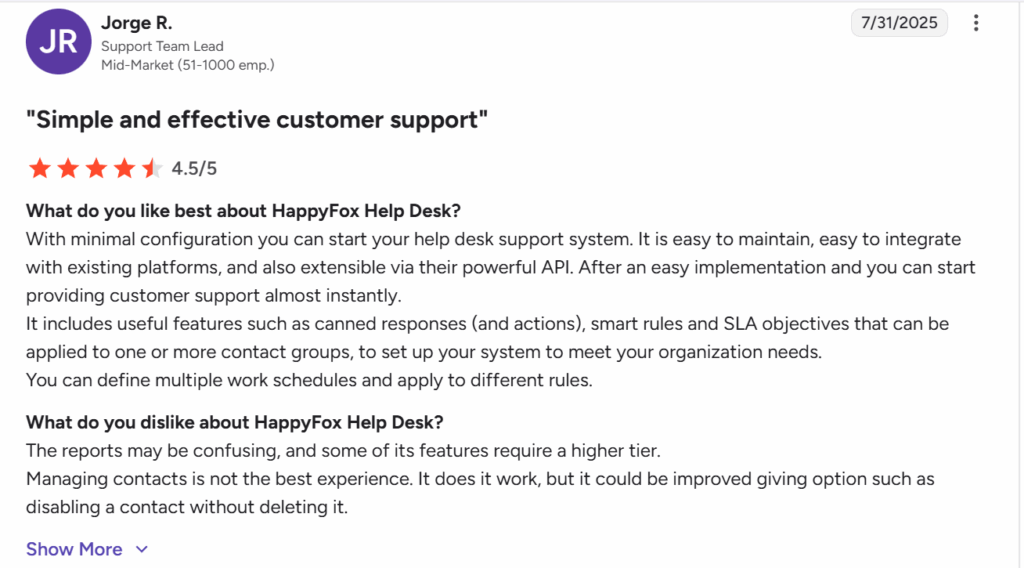
- Customization requires higher tiers: When you integrate a tool your customers will use daily, you want every interaction to represent your brand. However, with HappyFox, the lower pricing plans offer the essentials but restrict advanced automation rules, deep branding options, and complex workflows.
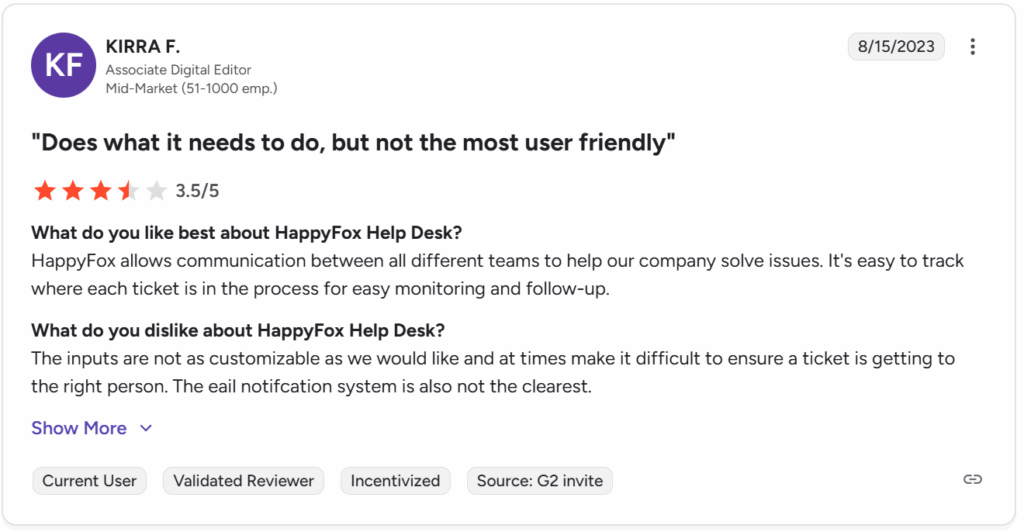
- Clunky UX: HappyFox is functional but might not be the most intuitive and fluid option on the market. Some users describe the interface as a bit dated in design, menu-heavy, not always intuitive, and slower to navigate compared to modern, streamlined helpdesks.
Vendor Really Stack Up?
What to look for in HappyFox alternatives? 3 main features in customer support automation software
If you’re looking for HappyFox alternatives, features like on-premise software, built-in integrations, and customization that make the tool feel like part of your brand are essential. Let’s break down why they matter.
Why you should trust us
Before we go any further, you’re probably thinking, “Okay, I think I might need an alternative to HappyFox, but why should I trust you?”
We get it! With so many tools and solutions on the market, it’s difficult to find a review that actually helps you find the best option. But that’s what we’re striving for. We want to help you discover a tool that:
- Solves your audience’s pain points
- Helps your agents do their work more efficiently
- Gives you all the insights into your business
But for that, it’s important to look for a platform with features and functionality that meet your unique business needs, audience expectations, and agent workflows. That’s why we went through G2, Capterra, Reddit, and other platforms to see what people are saying about HappyFox and to gather the top HappyFox alternatives currently on the market, giving you the bestyou best options based on features. We leave links to the reviews here so that you can see them for yourself.
1. On-premise software
If HappyFox’s web-only model feels limiting, an on-premise option becomes a big deal. When you have on-premise software, you gain total control of your data. Your customer information resides on your servers, not someone else’s cloud. This is especially important for businesses in strictly regulated industries like finance, healthcare, and legal, because on-premise software provides stronger compliance and allows you to set up customer security policies.
On-premise solutions are also better for businesses that deal with a lot of traffic, such as e-commerce stores. This type of software offers better performance stability, as internal networks tend to be faster and more reliable.
2. Built-in integrations
HappyFox’s limited integration library is one of the most common pain points users notice. So when searching for alternatives, rich, ready-to-use integrations should be a priority. When you have seamless integrations with the tools you already use, you get instant connectivity. Then, tools like CRMs, e-commerce platforms, analytics, chat systems, and billing software connect without extra development.
Extra perks also include reduced costs, since you don’t need to hire developers to build or maintain custom bridges. You also have fewer workflow gaps, as data flows naturally across systems, with fewer manual updates and fewer mistakes.
3. Full customization
If you’re shopping around, look for a platform that gives you full flexibility without jumping through paywall hoops. Customizing customer-facing tools is important because every business is different and has unique processes. Software should fit your workflows, not the other way around.
Custom forms, custom fields, custom ticket views, and custom automation should mold to how you work.
When you can easily customize a platform, your team will adopt it faster, and you’ll maintain brand consistency. Fully branded portals, emails, and customer interfaces build trust and professionalism. In fact, consistency in branding is also profitable, increasing revenue by as much as 23%.
What are the best HappyFox alternatives in 2026? 10 tools not to miss
| Alternative | Built-in integrations | Full customization | Knowledge management | Helpdesk | User rating |
| Capacity | + | + | + | + | 4.8/5 |
| Desk365 | Limited | Limited | + | + | 4.8/5 |
| Freshdesk | + | Partial (more on higher tiers) | + | + | 4.4/5 |
| Zoho Desk | + | + | + | + | 4.4/5 |
| Front | + | Partial | Limited | + | 4.7/5 |
| Featurebase | Limited | Partial | – | – | 4.7/5 |
| Zendesk | + | + | + | + | 4.6/5 |
| Kustomer | + | + | Limited | + | 4.5/5 |
| Help Scout | + | Partial | + | + | 4.4/5 |
| Gorgias | + | Partial | Limited | + | 4.6/5 |
Now that you know what to look for in HappyFox alternatives, let’s explore some of the top 10 tools you shouldn’t miss in 2026. We compared each platform based on its main features, pros, cons, and whether it has the functionality necessary for a 360-degree customer support function. Let’s take a look!
1. Capacity
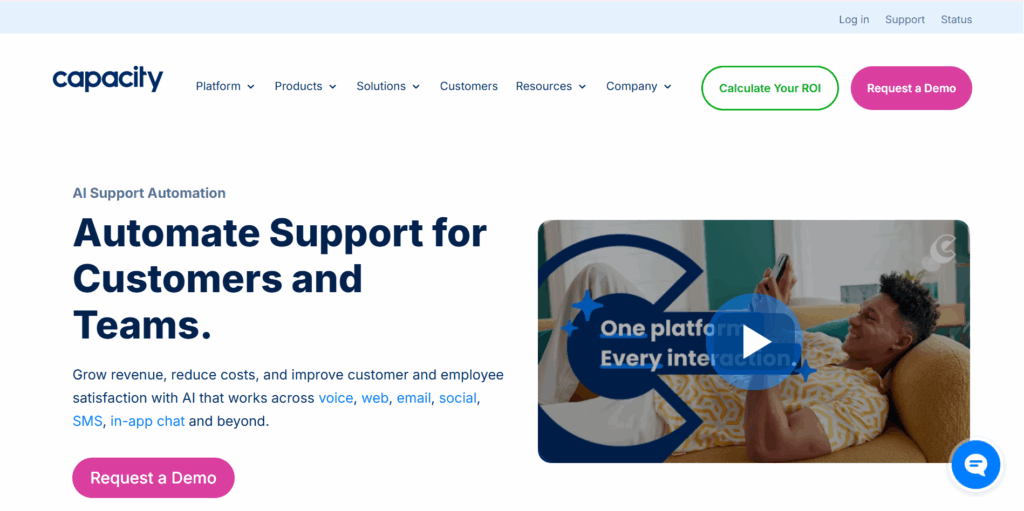
Capacity is an AI-powered support automation platform built to deflect over 90% of inquiries and speed up internal and external support. Instead of acting like a traditional ticketing system, Capacity blends AI chat, workflow automation, and knowledge orchestration to help teams resolve issues faster and reduce agent workload. It’s especially strong for companies that want to automate before escalating to a human.
Key customer support features:
- AI-powered chatbot: It uses natural language processing to instantly answer common questions, reducing the need for human agents. Capacity also offers conversational AI to make every conversation sound natural and helpful.
- CX automation: The tool automates customer experience and multi-step processes like password resets, approvals, and escalations to remove repetitive tasks.
- AI-powered unified knowledge base: Capacity centralizes company information across internal documents, chats, third-party integrations, and other sources so your customers and agents receive accurate, consistent answers.
- Team inbox with ticketing: It routes complex issues to humans through a simple, clean interface that feels like modern messaging.
- Intelligent virtual agents (IVAs): You can deploy IVAs across website chatboxes, social media, voice, and other channels to autonomously handle customer inquiries without escalating to human agents. This saves time and provides timely and accurate assistance to your customers.
- Omnichannel helpdesk: Capacity is a strong HappyFox alternative for helpdesk software. Whether a customer contacts support through email or phone, each ticket is registered in your omnichannel helpdesk platform, connecting the entire customer support operation in one centralized system.
Pros
- Very strong AI and automation capabilities
- Excellent for reducing support volume
- Clean, modern interface
- Good for both internal and external support
Cons
- Not a traditional helpdesk
- Pricing can be high for smaller teams
- Built-in integrations: Yes
- Full customization: Yes
- Knowledge management: Yes
- Helpdesk: Yes
User rating: 4.8/5
2. Desk365
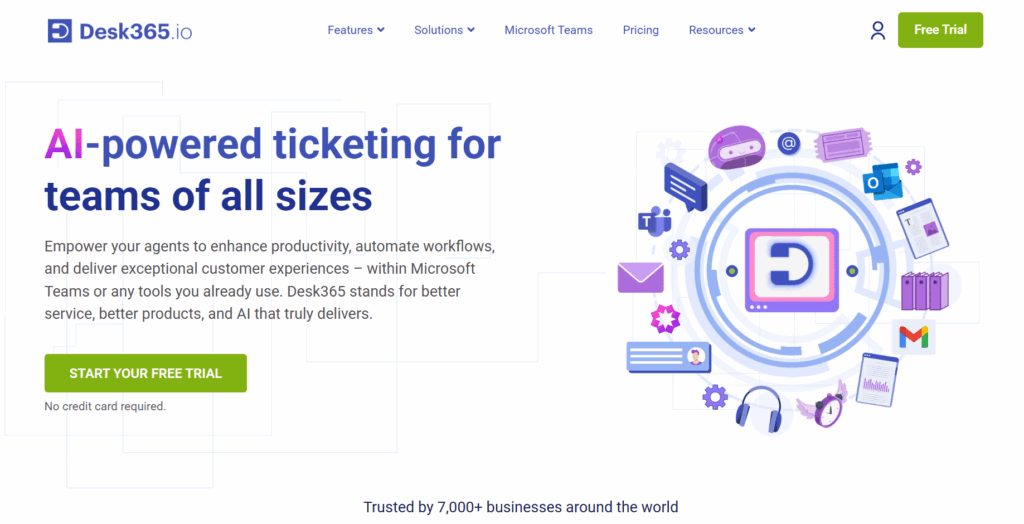
Desk365 is a modern, Microsoft-centric helpdesk built for teams deeply integrated with Office 365. It brings tickets, conversations, and workflows into a clean, lightweight interface. If your organization lives in Teams and Outlook, it’s a great HappyFox alternative to consider.
Key customer support features:
- Teams-native ticketing: Lets users create, manage, and respond to tickets directly inside Microsoft Teams.
- Automations and SLA management: Handles routing, reminders, and time-based rules to ensure nothing falls behind.
- Customer portal: Provides an easy place for customers to check ticket status and communicate with agents.
- Email-to-ticket transformation: Converts incoming Outlook emails into structured tickets with tags and assignments.
Pros
- Affordable compared to big helpdesks
- Excellent for Microsoft-based workflows
- Easy onboarding and clear UI
Cons
- Limited advanced features
- Fewer integrations outside the Microsoft ecosystem
- Built-in integrations: Limited
- Full customization: Limited
- Knowledge management: Yes
- Helpdesk: Yes
User rating: 4.8/5
3. Freshdesk

Freshdesk is one of the most popular helpdesk ticketing platforms for small and mid-size businesses. It offers a well-rounded suite of support tools—knowledge base, workflows, omnichannel communication, and automation—wrapped in a user-friendly interface.
It’s ideal for teams looking for a HappyFox alternative for helpdesk software without enterprise-level complexity. However, if you need more advanced automation and a modern ticketing interface, you might be interested in Freshdesk alternatives.
Key customer support features:
- Omnichannel ticketing: Centralizes messages from email, chat, phone, and social into one unified support queue.
- Robust automations: Uses rules and triggers to auto-assign, categorize, and prioritize tickets at scale.
- Freshchat and Freshcaller: Adds real-time chat and voice support so customers can get immediate help when needed.
- Multi-brand knowledge bases: Lets businesses manage separate help centers for each product or brand under one account.
Pros
- User-friendly
- Affordable with generous lower-tier plans
- Large marketplace of integrations
Cons
- Some advanced features are locked behind higher tiers
- Automations can be overwhelming at first
- Can feel slower as ticket volume increases
- Built-in integrations: Yes
- Full customization: Partial (more on higher tiers)
- Knowledge management: Yes
- Helpdesk: Yes
User rating: 4.4/5
4. Zoho Desk
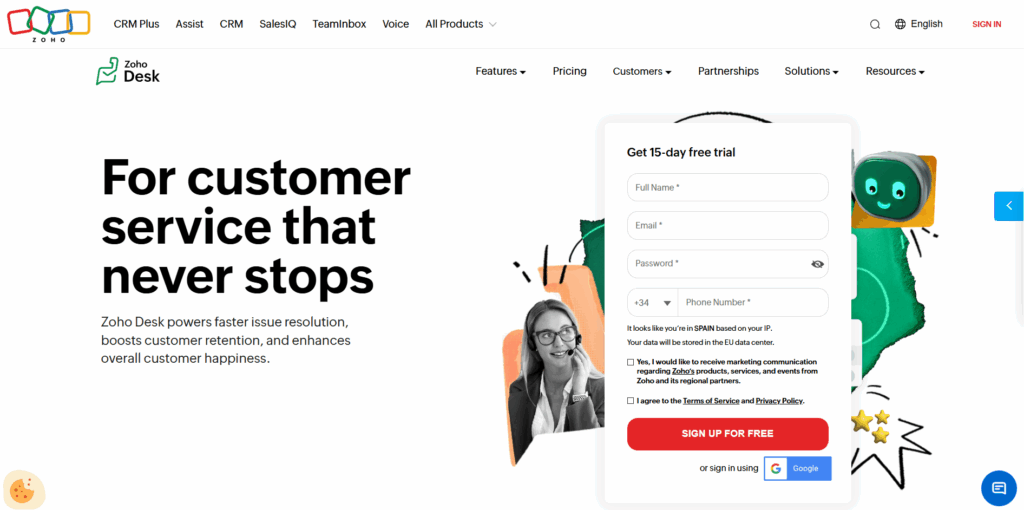
Zoho Desk blends traditional helpdesk functionality with the power of Zoho’s massive business app ecosystem. It’s a great option for companies already using Zoho CRM, Projects, or other Zoho tools, giving teams an interconnected workflow and a highly customizable service operation.
However, if you’re looking for a more advanced and user-friendly helpdesk solution, you might want to check Zoho Desk alternatives.
Key customer support features:
- Contextual ticketing: Displays customer history, CRM data, and past interactions directly inside each ticket.
- AI assistant (Zia): Predicts ticket intent, suggests replies, and flags anomalies to help agents work smarter.
- Multi-department portals: Creates distinct support experiences for different teams or product lines.
- Robust automations and macros: Automates repetitive actions and allows agents to apply multi-step actions in one click.
Pros
- Deep integrations within the Zoho suite
- Highly customizable
- Strong reporting capabilities
Cons
- Interface can feel dated
- Best only if you’re already in Zoho’s ecosystem
- Setup can be time-consuming
- Built-in integrations: Yes
- Full customization: Yes
- Knowledge management: Yes
- Helpdesk: Yes
User rating: 4.4/5
5. Front

Front blends shared inbox collaboration with helpdesk features, creating a hybrid between email and ticketing. It feels like using Gmail or Outlook—just much more optimized for teams. Perfect for organizations that want transparency and speed without switching to a traditional ticketing system.
Key customer support features:
- Shared inboxes: Multiple agents can collaborate on customer messages without duplicating replies.
- Ultra-fast workflow automations: Automatically routes conversations and applies rules based on tags, keywords, or sender.
- Internal comments: Lets teams discuss customer messages privately within each thread.
- Lightweight ticketing with analytics: Adds simple tagging, SLAs, and metrics for teams who need more than email but less than a full helpdesk.
Pros
- Email-like interface
- Great for fast-moving teams or high-touch support
- Strong collaboration tools
Cons
- Not a full-service helpdesk
- No deep ticketing structure
- Pricing increases quickly with team size
- Built-in integrations: Yes
- Full customization: Partial
- Knowledge management: Limited
- Helpdesk: Yes (lightweight)
User rating: 4.7/5
6. Featurebase
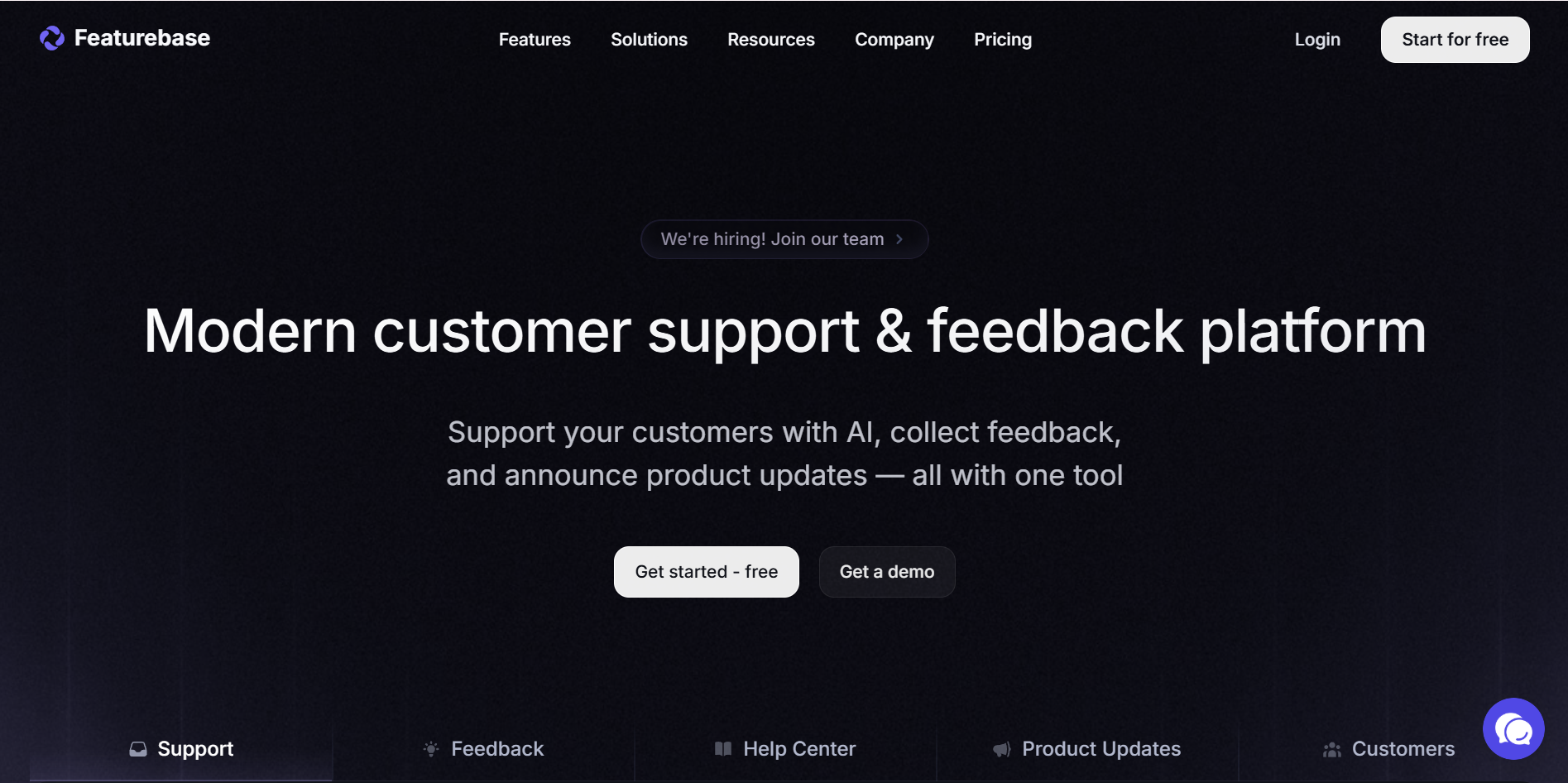
Featurebase focuses on feedback management, customer insights, and roadmap organization. While not a traditional helpdesk, it supports customer-facing teams by simplifying how companies collect suggestions, manage feature requests, and communicate updates. It’s a great HappyFox alternative for product-led organizations.
Key customer support features:
- Public feedback portal: Allows customers to submit ideas and vote on features in a transparent place.
- Voting and prioritization tools: Helps product teams understand which requests matter most to users.
- Roadmap sharing: Creates public or private roadmaps to keep customers informed about what’s coming next.
- Changelog announcements: Notifies users whenever new updates or improvements go live.
Pros
- Excellent for collecting and organizing feedback
- Clean, modern interface
- Helps align product and support teams
Cons
- Not a true helpdesk
- Limited ticketing functionality
- Missing many support-centric tools
- Built-in integrations: Limited
- Full customization: Partial
- Knowledge management: No
- Helpdesk: No
User rating: 4.7/5
7. Zendesk

Zendesk is the heavyweight of customer support platforms, offering enterprise-grade features, deep integrations, and highly scalable workflows. It’s extremely powerful, but also complex.
It’s a better option if you have a large support team and need full omnichannel capabilities and advanced configuration. If you run a smaller customer support operation, then Zendesk alternatives might be a good option to consider.
Key customer support features:
- Full omnichannel support: Manages conversations across email, chat, voice, social, and messaging apps from one dashboard.
- Advanced automation and AI suggestions: Uses predictive tools to prioritize tickets and help agents respond faster.
- Robust reporting and dashboards: Offers advanced analytics with customizable charts, KPIs, and drill-down reporting.
- Extensive integration ecosystem: Connects with thousands of apps, from CRMs to e-commerce tools.
Pros
- Extremely powerful and flexible
- Enterprise-level scalability
- Massive integration marketplace
- Excellent analytics
Cons
- Can be expensive
- Steep learning curve
- Some features require add-ons or higher tiers
- Built-in integrations: Yes
- Full customization: Yes
- Knowledge management: Yes
- Helpdesk: Yes
User rating: 4.6/5
8. Kustomer

Kustomer is a CRM-style support tool that treats each customer as a timeline rather than individual tickets. This makes it great for high-touch service teams who want full context at a glance. It’s especially popular among retail, DTC, and e-commerce brands.
Key customer support features:
- Customer timeline view: Shows every interaction—orders, messages, issues—in a single scrolling timeline.
- Omnichannel messaging: Supports chat, SMS, email, and social messaging all in one place.
- Powerful automation workflows: Routes conversations, updates customer profiles, and triggers tasks automatically.
- CRM-grade customer data management: Stores detailed information so agents can personalize their responses.
Pros
- Exceptional visibility into customer history
- Great for personalized support
- Strong automation and routing
- Ideal for e-commerce and retail brands
Cons
- Pricing is on the higher side
- Less traditional ticket structure may confuse new agents
- Overkill for simple support operations
- Built-in integrations: Yes
- Full customization: Yes
- Knowledge management: Limited
- Helpdesk: Yes
User rating: 4.5/5
9. Help Scout

Help Scout is a beautifully simple, customer-friendly helpdesk that feels more like email than a ticketing system. It’s built for teams that prioritize personal connections, clean communication, and a lightweight experience that stays out of the way while helping agents work faster.
Key customer support features:
- Shared inbox: A collaborative inbox where support teams can manage conversations without losing the human touch.
- Beacon live chat with instant answers: Lightweight chat that shows suggested help articles before customers reach out.
- Knowledge base (Docs): Easy-to-create articles that help customers self-serve and reduce ticket volume.
- Customer management profiles: Pulls customer details and history into conversations so agents have context at all times.
Pros
- Clean and intuitive UI
- Highly personal customer interaction style
- Great balance of simplicity and capability
- Excellent documentation tools
Cons
- Not ideal for large enterprise workflows
- Limited automation and routing compared to bigger platforms
- Built-in integrations: Yes
- Full customization: Partial
- Knowledge management: Yes
- Helpdesk: Yes
User rating: 4.4/5
10. Gorgias

Gorgias is an e-commerce–focused helpdesk built specifically for brands using Shopify, Magento, or BigCommerce. It pulls order data, customer details, and storefront actions right into the support view, enabling lightning-fast responses and powerful automation for online retailers.
Key customer support features:
- Deep e-commerce integrations: Connects directly with Shopify, Magento, and BigCommerce to surface orders, refunds, and customer history.
- Automated macros and rules: Automates repetitive actions like sending shipping updates, processing refunds, or tagging order issues.
- Omnichannel messaging: Centralizes email, chat, social media, SMS, and even comments from ads into a single dashboard.
- Self-service order widgets: Lets customers track orders or request updates without contacting support.
Pros
- Optimized for e-commerce operations
- Superb automation for order-related workflows
- Very fast and intuitive for support agents
Cons
- Not ideal for non-e-commerce companies
- Limited knowledge base functionality
- Pricing scales quickly with ticket volume
- Built-in integrations: Yes (especially e-commerce)
- Full customization: Partial
- Knowledge management: Limited
- Helpdesk: Yes
User rating: 4.6/5
One tool to connect your customer and employee support from A to Z
When you’re dealing with hundreds of customers daily, customer support automation isn’t just a nice-to-have—it becomes a necessity. However, when choosing a tool your team will use every day and that customers will interact with, you have to choose wisely. We hope this list of HappyFox alternatives gives you a few solid options.
Here’s a quick recap of the top 10 HappyFox alternatives in 2026:
- Capacity
- Desk365
- Freshdesk
- Zoho Desk
- Front
- Featurebase
- Zendesk
- Kustomer
- Help Scout
- Gorgias
If having the functionality of multiple tools in one sounds good, then don’t miss out on Capacity. Designed for companies across retail, legal, insurance, finance, healthcare, and many other industries, Capacity delivers:
- Speed
- Reliability
- Automation that cuts through the noise
- Personalized customer experience
We invite you to try it for yourself—book a demo today and see how true automation changes the way you work.
FAQs
No, HappyFox is not a CRM. It’s a helpdesk and customer support platform. However, it does integrate with popular CRMs such as Salesforce, HubSpot, and Zoho CRM.
If your business runs on Gmail or Google Workspace, you should check out Capacity, which offers many integrations, Help Scout, which is email-like and highly intuitive, and integrates beautifully with Gmail. Freshdesk is another feature-rich option, with strong Google Workspace integrations.
If you want AI-powered support, these platforms offer native AI ticket classification, routing, suggestions, or automated workflows:
– Capacity – Very strong automation and AI-driven knowledge response system.
– Zendesk – AI routing, macro suggestions, triage, and intent detection.
– Freshdesk – AI-powered Freddy for ticket classification, responses, and automations.