


 Customer Support
 HR & Ops
 IT Support
 Sales & Marketing
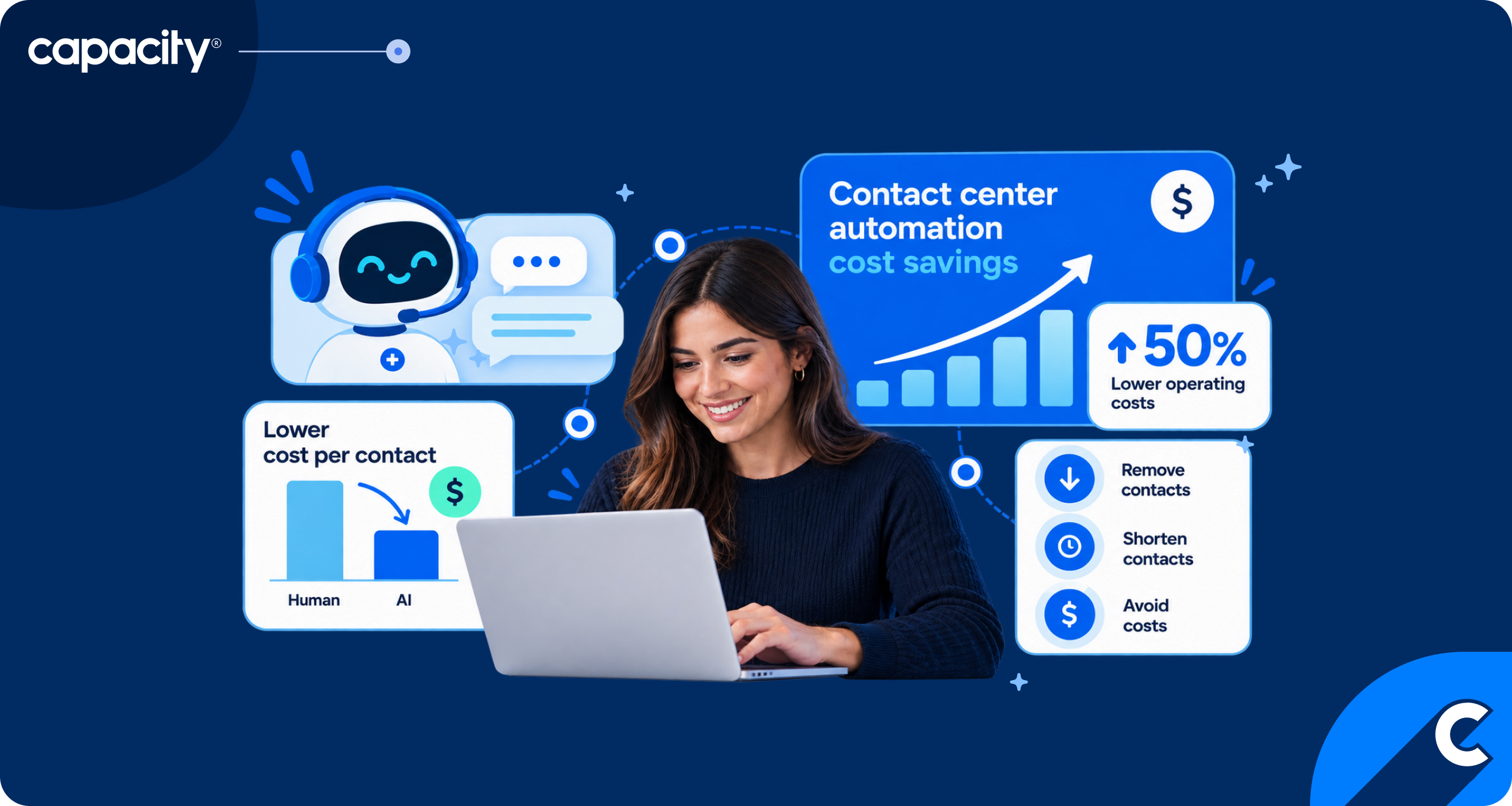
- Automation saves money three ways: removing contacts, shortening contacts and avoiding costs such as rework, hiring and attrition.
- Savings fall short when containment is counted as resolution, freed capacity isn't redeployed or removed, and the cost of oversight is left out.
- Build the case from your own volumes and fully loaded cost per contact, then track resolution and recontact rate alongside containment.
Contact center automation cost savings are real and achievable, but the number in most business cases isn’t. Leaders hear that conversational AI will reduce agent labor costs by $80 billion in 2026, according to Gartner’s 2022 forecast, or that an AI agent handles a contact for about a dollar. Then the first year closes and the P&L barely moves.
This discrepancy comes from three common practices in contact centers: counting containment as resolution, leaving the cost of oversight off the ledger and inefficiently reallocating the capacity freed up by automation.
This post covers where contact center automation savings come from, where they leak and how to build a business case your CFO can pressure-test. You’ll get a five-step ROI method, a worked example with clearly labeled illustrative numbers and a short list of metrics that keep the savings honest after launch.
How does contact center automation save money?
Contact center automation saves money by deflecting repeat contacts, shortening live interactions and avoiding the costs that would ordinarily arise without both of the previous steps. AI agents resolve routine requests without a live agent, assist tools cut handle time and fewer repeat contacts mean less rework, hiring and attrition.
- Deflect repeat contacts. AI agents resolve routine requests such as order status, authentication and scheduling without a live agent. Every contact resolved start to finish is one that doesn’t have to escalate, add to metrics like queue time or AHT or use up labor.
- Shorten live interactions. Real-time agent assist surfaces guidance, prompts and answers during a live call. Automated summaries, action items and post-call tasks like data entry replace manual wrap-up. Both pull minutes out of every contact that does reach a person.
- Avoid costs. Fewer repeat contacts mean less rework, and slower volume growth means fewer hires and less backfill for attrition. Automated QA also replaces hours of manual scoring by automatically reviewing every single call.
Outsourcing, workforce management and routing move cost per contact too, but they sit outside this post. Our guide to call center cost reduction covers those levers.
What does an automated interaction cost compared to a live one?
An automated interaction costs a fraction of a live one on paper, but most published figures are vendor claims, so treat them as ranges to test rather than benchmarks.
One vendor source cites roughly $4 to $7 for a live agent call versus about $1 for an AI agent. Capacity puts costs at $7 to $13.50 for a live interaction and $0.50 to $2.00 for AI self-service.
Rely on your own data for the most accurate costs. Such costs includes wages, benefits, supervision, facilities, tooling, training and the churn cost of attrition. On the AI side it includes usage fees, oversight and knowledge upkeep, which most quotes leave out.
Which contact center automation use cases deliver the fastest savings?
The fastest savings come from use cases that score high on volume, predictability and cost per contact. Multiply those three for each candidate, rank the results and start at the top.
Use cases worth automating and tracking for cost improvement:
- Authentication. Every secured contact starts with identity checks, so automating them removes the same seconds from thousands of contacts.
- Order and account status. Volume is high, the answer is one lookup away and the customer rarely needs a person.
- FAQs and policy questions. Answers are predictable, as long as the knowledge behind them stays current.
- Scheduling. Booking, rescheduling and cancelling follow a fixed path and often connect straight to revenue.
- Billing and payments. Balance questions and payment confirmations repeat all day and carry a clear cost per contact.
- Agent assist. It shortens the contacts that can’t be automated, which is most of the complex ones.
- Post-call summaries. Automated wrap-up removes manual notes from every handled contact.
- QA automation. Auto QA scores every interaction instead of a small sample.
- Outbound reminders. Proactive appointment and payment reminders prevent inbound calls before they happen.
The results show up in customer data. DSW saved $1.5 million in support costs with Capacity AI agents, while YMCA of Greater Dayton now deflects more than 90% of its 5,900-plus monthly inquiries away from call center and front desk staff.
How do you calculate contact center automation ROI?
To calculate contact center automation ROI, subtract total cost of ownership from the savings on contacts that automation resolves, then divide the result by that cost. Here are five steps to follow:
- Baseline volume and fully loaded cost per contact by channel. Pull 12 months of volume for voice, chat, email and SMS, and price each channel with wages, benefits, supervision, facilities, tooling and training.
- Estimate the share of contacts eligible for automation. Use the selection test above and your own intent data.
- Apply a defensible resolution rate. Count contacts the customer didn’t have to repeat, not contacts that were merely deflected.
- Subtract total cost of ownership. Include platform and usage fees, implementation, knowledge upkeep, oversight, training and compliance review.
- Express the result as payback period and ROI.
Here’s a sample formula to calculate contact center automation ROI:
Net savings = (Annual contacts x Eligible share x Resolution rate x Cost per live contact) – Total cost of ownership
ROI = Net savings / Total cost of ownership
Here’s what that formula might look like in practice:
| Input | Value |
|---|---|
| Annual contacts (V) | 1,200,000 |
| Eligible share (E) | 40%, or 480,000 contacts |
| Resolution rate on eligible contacts (R) | 50%, or 240,000 contacts |
| Fully loaded cost per live contact (C) | $8 |
| Gross savings (V × E × R × C) | $1,920,000 |
| Total cost of ownership (T) | $850,000 |
| Net savings | $1,070,000 |
| ROI | About 126% |
| Payback | About 5 months at full run rate |
The total cost of ownership in this example is $450,000 in platform and usage fees, $150,000 for implementation, $200,000 for knowledge upkeep and oversight, and $50,000 for training and compliance review.
Now run the common shortcut. Count 70% containment instead of 50% resolution and subtract only platform fees, and the same program shows about $2.24 million in savings, roughly twice the defensible figure. That gap is what a finance review finds.
Learn how to use Capacity’s AI ROI calculator and see what cost savings you can achieve through inbound AI agents.
Why do contact center automation cost savings fall short?
Automation savings fall short when the business case counts activity as outcome: contacts that stayed away from agents, capacity nobody removed and costs nobody tracked. Six leaks show up again and again:
- Containment is counted as resolution, so customers call back. A Gartner survey of 5,728 customers found only 14% of issues are fully resolved in self-service, and only 36% even when customers call the issue very simple. A contained contact that returns tomorrow costs you twice.
- Freed up capacity isn’t removed or redeployed, so the saving never reaches the P&L. If automation frees 20 hours of work across 100 agents, no budget line changes until someone decides what happens to those hours.
- Knowledge content decays and answers get worse. Policies change and product details drift, while an AI agent answers from whatever it’s given. AI knowledge orchestration shared across every channel means one correction updates every answer.
- AI agents aren’t quality-checked. When most conversations go unreviewed, as happens in manual sampling, wrong answers stay invisible until complaints or repeat contacts expose them.
- Integration and change management cost more than planned. Connecting systems of record, redesigning workflows and retraining supervisors take real time and budget.
- Pricing models eat the margin at high volume. Contact center automation tools that charge per conversation or per resolution look small at pilot volume and large at scale, so model the fee at three times your volume before you sign.
This table connects each source of savings to its most common leak and the metric that exposes it:
| Where savings come from | Where they leak | What to measure |
|---|---|---|
| Removed contacts | Containment counted as resolution; customers recontact | Resolution rate and recontact rate |
| Shorter contacts | Stale knowledge; agents ignore suggestions | Handle time and suggestion adoption |
| Avoided costs | Freed capacity isn’t removed or redeployed | Occupancy, hiring avoided and attrition |
| Lower cost per AI contact | Usage fees at scale; no quality checks | Cost per resolved contact and QA scores |
What hidden costs belong in the business case?
The hidden costs are the ones that keep recurring after launch, and most quotes leave them out. Put each on its own line so finance can see them:
- Implementation and integration
- Knowledge upkeep (meaning who owns content and how often it’s reviewed)
- Oversight and QA of AI conversations
- Usage fees that scale with volume
- Training for agents and supervisors
- Compliance review (especially in regulated industries)
What should you do with the savings?
Redeploy agents to complex work. Agents who no longer answer routine status checks can take the contacts that need judgment, empathy or a long conversation. Handle time on those contacts goes up, but that’s the point: the work is harder and worth more. Ultimately you will have less handle time, because most repetitive inquiries that would drive it up before are now automated. Learn more about ROI from real-time agent assist here.
Avoid hiring as volume grows. Most contact centers see volume climb every year. Automation absorbs that growth so you don’t add seats, a real saving that never shows up as a cut. Record it as hiring avoided, against the headcount your forecast would have required, or it disappears in the next budget cycle.
Reinvest in coaching. Time freed from repetitive contacts can go back into agent coaching, which lifts quality and retention. Attrition is a cost line too, so a better agent experience belongs in the business case. Frame automation as improved capacity as well as cost reduction, and the conversation with your team gets easier as well.
How do you track contact center automation cost savings over time?
Review these metrics monthly against the baseline you built for the business case:
- Cost per contact, by channel and by live versus automated
- Containment and resolution rate, reported side by side
- Recontact rate, whether contained contacts were actually resolved
- Handle time, for contacts that still reach an agent
- Occupancy, which shows whether freed capacity is being used
- Attrition, since backfill is a cost you can avoid
- QA scores on automated interactions
- CSAT, by automated and live contact
How do you build the business case for contact center automation?
Build it in three steps, starting this week, with numbers from your own operation:
- Pull your baseline. Gather 12 months of volume and fully loaded cost per contact by channel.
- Rank your use cases. Score each by volume, predictability and cost per contact, then pick the top two or three.
- Model it conservatively. Use a resolution rate you can defend, then add oversight, upkeep and usage fees before you calculate payback.
Run your numbers through Capacity’s ROI calculator, or see how AI agents for contact centers handle your highest-volume contacts in a demo. For help presenting the case internally, read 4 ways to make the case for an AI roadmap.
FAQs
There’s no universal figure, because savings depend on your volume, the share of contacts that are eligible, your resolution rate and your cost per contact. Gartner forecasts $80 billion in industry-wide agent labor savings from conversational AI in 2026, but your own number comes from your own baseline. DSW saved $1.5 million in support costs with Capacity AI agents.
One vendor source cites roughly $4 to $7 for a live agent call and about $1 for an AI agent, and Capacity’s planning ranges are $7 to $13.50 versus $0.50 to $2.00. Treat all of these as vendor figures. Your fully loaded cost per contact, including oversight and knowledge upkeep, is the number to use.
It depends on scope and ramp-up. In the illustrative example above, payback lands at about five months at full run rate. Integration work and knowledge preparation push that out, so model the timeline month by month rather than assuming day-one savings.
Not automatically. Automation changes what agents handle and how many you need as volume grows. Many teams redeploy agents to complex contacts, avoid new hires and reinvest in coaching, so whether headcount changes is a decision, not a built-in result.
