


 Customer Support
 HR & Ops
 IT Support
 Sales & Marketing



- An auto QA scorecard is a set of written criteria that AI uses to score customer interactions, so its results are only as consistent as the wording you give it.
- Five categories to measure: resolution and accuracy, communication and empathy, compliance and risk, process and efficiency, and customer outcomes.
- How to write criteria: use yes/no questions tied to specific, observable behaviors, require evidence from the conversation, define “not applicable” conditions, and split double-barreled criteria.
- How to weight it: give resolution and accuracy the largest share, and make critical errors, like skipping identity verification, auto-fail items that zero out the score.
- How to test it: pilot on 50–100 interactions scored by both humans and auto QA, rewrite criteria they disagree on, then lock a version and recalibrate on a regular schedule.
- How to roll it out: involve agents in drafting it, walk the team through real examples, and position it as a coaching tool, not a surveillance tool.
If you tried automating quality management in your center but didn’t get the right results, you most likely didn’t have the right scorecards to guide how AI scores customer interactions. A well-designed call center quality assurance scorecard can boost your customer service results and improve customer experience with auto QA. While auto QA focuses on volume, you are the architect who ensures this volume translates into real, actionable results.
With the global automation testing market projected to grow from USD 20.60 billion in 2025 to an estimated USD 84.22 billion by 2034, it’s impossible to miss the benefits of call center quality assurance software for contact and call centers (Fortune Business Insights, 2026)
In this guide, we explain how you can design a call center agent scorecard that human reviewers and auto QA can both apply consistently.
You’ll also find:
- What your auto QA scorecards should measure
- How to write criteria you can actually score
- How to test your new scorecard
- How to roll out an auto QA scorecard to your team
What is a QA scorecard?
A QA scorecard is a structured evaluation form that assesses work quality against a defined set of standards. It’s most common in customer support and contact centers, where reviewers use it to grade individual calls, chats, or emails as part of the quality assurance process.
The point of a call center agent scorecard is to make quality measurable and consistent. Instead of relying on a manager’s general impression, everyone is judged against the same clear expectations, which makes feedback fairer and more specific. A scorecard becomes even more important when you switch to automated quality assurance for contact centers, since every one of the hundreds of interactions you handle daily gets evaluated against the same definition of what good looks like.
Where do some QA scorecards fall short?
Most QA scorecards fall short because they’re either too broad or too niche, so you end up measuring the wrong thing or not getting enough information. But it’s also important to pay attention to how you weight different criteria, recalibrate regularly, and incorporate call center coaching to close the loop. Take a look at the mistakes most contact centers make.
- Too many criteria. When a scorecard has dozens of line items, reviewers rush through it, and agents can’t tell what matters. The important behaviors get diluted by minor ones, and the evaluation becomes a box-checking exercise rather than a real assessment of quality.
- Too much subjective wording. Criteria like “showed empathy” or “was professional” mean different things to different reviewers, so the same interaction can get very different scores. Without concrete, observable definitions, like “acknowledged the customer’s frustration before troubleshooting,” agents see scores as arbitrary and lose trust in the process.
- Everything weighted equally. If using the customer’s name counts as much as giving correct information, the final score misrepresents the interaction. An agent can score 90% even after making the one mistake that really hurt the customer, which hides serious problems behind a good-looking number.
- Doesn’t measure customer outcomes. Many scorecards grade whether the agent followed the script and not whether the customer’s issue was actually resolved. This can produce high QA scores alongside poor CSAT, repeat contacts, and churn, because the scorecard is measuring activity instead of results.
- Never recalibrated. Products, policies, and customer expectations change, but scorecards often stay the same for years. Reviewers also drift apart in how they apply criteria over time, so without regular calibration sessions, scores become inconsistent, and the scorecard stops reflecting what good work looks like today.
- Built for compliance, not coaching. Some customer service QA scorecards exist mainly to catch and document mistakes, which makes QA feel punitive. When agents only hear about what they did wrong, with no specific guidance on how to improve, the scorecard generates anxiety and defensiveness instead of better performance.
What should a QA scorecard measure?
A well-designed QA scorecard should measure how customers feel when they interact with your business. Are their issues resolved on the first try? How accurate are your responses? Do conversations tick compliance boxes? Let’s go over the five most important things to measure in a call center QA and how to do that.
Resolution and accuracy
Resolution and accuracy show whether the agent correctly identified the customer’s actual problem and either solved it or set up the right next step. This is usually the most important category, because an interaction that ends with wrong information or an unresolved issue has failed no matter how pleasant it was.
Say a customer asks why they were charged twice. When done right, the agent checks the account to verify there’s no actual duplicate charge, confirms that one charge is a pending authorization that will drop off within three business days, and explains this clearly to the customer.
How it’s measured: Reviewers check whether the agent diagnosed the root issue, gave information that matches current policy and product documentation, and either resolved the issue or escalated it appropriately with clear expectations.
Communication and empathy
It shows how clearly and respectfully the agent communicated, and whether they recognized and responded to the customer’s situation and emotions. Good communication makes the resolution easy to understand and leaves the customer feeling heard. However, it’s important to define what empathy means because different people and different AI systems might interpret it differently.
Think of this situation: a customer writes in, angry that their order arrived damaged right before an event. The agent opens with “I’m sorry, that’s really frustrating, especially with your event coming up,” then explains the replacement options in plain language and confirms which one works best for the customer.
It works because the agent acknowledged the mistake and personalized their approach by mentioning the situation the customer is going through.
How it’s measured: The best scorecards define this category with observable behaviors. QA scorecard criteria might include acknowledging the customer’s frustration before moving to troubleshooting, avoiding internal jargon, confirming understanding, and adjusting tone to match the situation.
Compliance and risk
Measuring compliance and risk shows whether the agent followed the legal, regulatory, security, and policy requirements that protect the customer and the company. Lapses here can cause financial, legal, or reputational damage even when the customer is satisfied. IBM’s 2025 report found that the average cost of a data breach for U.S. companies rose 9% to an all-time high of $10.22 million. A calibrated auto QA scorecard can help you prevent costly mishaps.
For example, before discussing a billing change, the agent verifies the caller’s identity using the required two-factor process and reads the mandatory disclosure about cancellation terms before processing a plan downgrade.
How it’s measured: These items are typically pass/fail and are often set as auto-fail criteria that zero out the entire evaluation. Common checks include identity verification before discussing account details, required disclosures, proper handling of payment or personal data, and not making unauthorized promises.
Process and efficiency
It measures whether the agent used the right tools and workflows and handled the interaction without unnecessary effort for the customer or the business. This covers things like proper documentation, correct ticket tagging, and avoiding wasted time.
For example, the agent resolves a password reset issue using the standard workflow, adds a concise case note describing the cause and fix, and tags the ticket as “account access” so it’s captured correctly in trend reports.
How it’s measured: Reviewers look at whether the agent searched the knowledge base or agent QA tools before escalating, logged accurate notes so the next agent has context, tagged the ticket correctly for reporting, and avoided unnecessary holds or transfers. Efficiency shouldn’t be judged purely by handle time, so agents aren’t rewarded for rushing.
Customer outcomes
Customer outcomes show whether the interaction actually produced a good result from the customer’s perspective. This category ties the scorecard to what the business cares about, so a high QA score reflects real customer impact.
For example, a customer contacts support about a feature that isn’t working. The agent fixes the setting and also explains how to avoid the issue in the future. The ticket receives a positive CSAT rating, and the customer doesn’t contact support about the same problem within the next seven days.
How it’s measured: Some outcome measures can be judged by the reviewer, such as whether the customer’s stated goal was met and whether they’re likely to need to contact support again. Others are pulled from data and paired with the evaluation, such as post-interaction CSAT, repeat contacts within a set window, or whether a refund or cancellation was prevented.
How do you write criteria that auto QA can reliably score?
Auto QA features check customer interactions against your written criteria, so its results can only be as consistent as the language you give it. Criteria that rely on a reviewer’s judgment or general impression produce unreliable results, while criteria that describe specific, observable behaviors can be scored the same way every time. The table below shows how to rewrite common vague criteria into versions an automated system can evaluate, followed by the rules you can use to make your criteria clear.
| Subjective criterion | Observable version | Rule applied |
|---|---|---|
| Followed the process | Did the agent complete each named step? Score verify identity, confirm account and summarize next steps separately | Yes/no questions with clear definitions |
| Good greeting | Did the agent state their name and the company name in the opening turn? Score each element separately | Specific elements, one question each |
| Resolved the issue | Did the customer confirm the fix? Cite the confirming line from the conversation | Evidence required; define not applicable, such as transferred calls |
| Was professional | Score interrupting, slang and profanity as separate yes/no questions, each with a one-line definition | Defined behaviors; no double-barreled criteria |
How should you weight and score a QA scorecard?
Weighting and scoring a QA scorecard should reflect how much each criterion affects the customer and the business. Resolution and accuracy usually come first, because getting the answer wrong undermines everything else. Communication and customer outcome criteria typically come next, while smaller items like ticket tagging or using the customer’s name should carry less weight. A useful test is to imagine an agent who misses a given criterion but does everything else well: if that interaction would still be a bad experience or create real risk, the criterion should be weighted heavily.
For the most serious errors, weighting alone isn’t enough, so use auto-fail items. Mistakes like skipping identity verification, exposing payment data, giving legally incorrect information, or being abusive toward a customer should set the score to zero, no matter how well the rest of the interaction went.
Finally, keep the scoring scale simple. A yes/no or short three-point scale (meets, partially meets, doesn’t meet) is easier to apply consistently than a 1-to-10 scale, which implies a level of precision that reviewers and auto QA tools can’t always deliver. When you can’t clearly define the difference between a 6 and a 7, the extra granularity makes scores harder to trust.
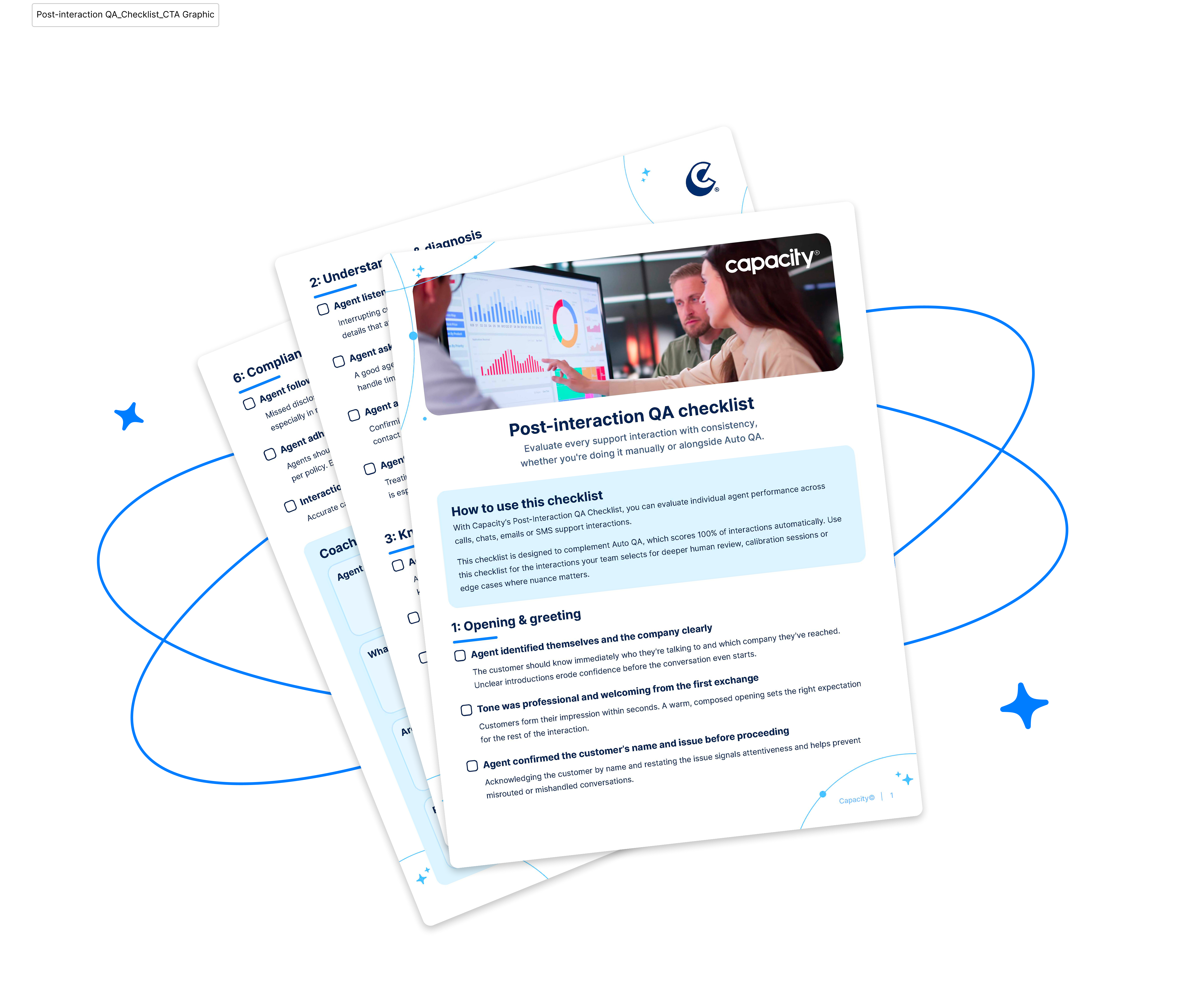
What does a sample contact center QA scorecard look like? QA scorecard template to use for your next review
Checklist Is Here
How do you test and calibrate a QA scorecard? 5 steps to follow
To test and calibrate your QA scorecard, you need to set up a regular practice that compares auto QA results with human reviewers’ scores, measures where they agree and disagree, and recalibrates whenever you update your service or AI tools — here’s how.
- Pilot on 50–100 interactions. Before rolling out a scorecard to the whole team, test it on a representative sample that includes different channels, issue types, and both strong and weak interactions. A sample this size is large enough to expose unclear criteria and missing “not applicable” conditions without a huge time investment.
- Have humans and auto QA score the same set. Ask two or more experienced reviewers to score the pilot interactions independently, and run the same set through your auto QA and agent coaching tool. Scoring an identical sample is the only way to see whether people and the automated system interpret the criteria consistently.
- Measure agreement and review disagreements. Compare scores at the criterion level, not just the overall score, and calculate how often reviewers and auto QA reach the same answer. Then pull up the interactions where they disagree and discuss what each scorer saw to reveal exactly where the criteria are ambiguous.
- Rewrite criteria that cause disagreement. When a criterion consistently produces split results, tighten its wording, add a clear definition or example, split it if it’s double-barreled, or define when it doesn’t apply. Re-score a small batch afterward to confirm the change actually improved agreement.
- Lock a version and recalibrate on a consistent schedule. Once agreement reaches an acceptable level, freeze the scorecard as a numbered version so scores stay comparable over time, and document any future changes. Hold regular calibration sessions where reviewers score the same interactions and review auto QA results, and revisit the criteria whenever policies, products, or customer expectations change.
How do you roll out a new scorecard to agents?
A new scorecard lands best when you build it together with your team. The best call center QA scorecard examples come from teams that involve supervisors and a few respected agents early. Ask them which behaviors really drive good outcomes, and have them review draft criteria for clarity and fairness. Agents often spot unrealistic expectations or ambiguous wording that managers miss, and when they see their feedback reflected in the final version, the scorecard feels like a shared standard rather than something imposed from above.
Before it goes live, walk the whole team through each criterion with real examples of what meets the standard and what doesn’t, explain why each item matters to customers, and point out the auto-fail items clearly so nobody is surprised by them.
Just as important, the QA scorecard should improve agent coaching with auto QA results. Tie evaluations directly to regular one-on-ones, where supervisors use specific interactions to show agents what they did well and what to try next time. Also consider a short grace period during which scores are shared for learning before they affect performance reviews. When you report results, recognize agents who excel at difficult interactions, call out team-wide improvements, and share examples of great conversations. When agents see the scorecard regularly recognizing their good work, they’re far more likely to trust it and far more open to the feedback it gives them.
Score 100% of chats and calls for better CX
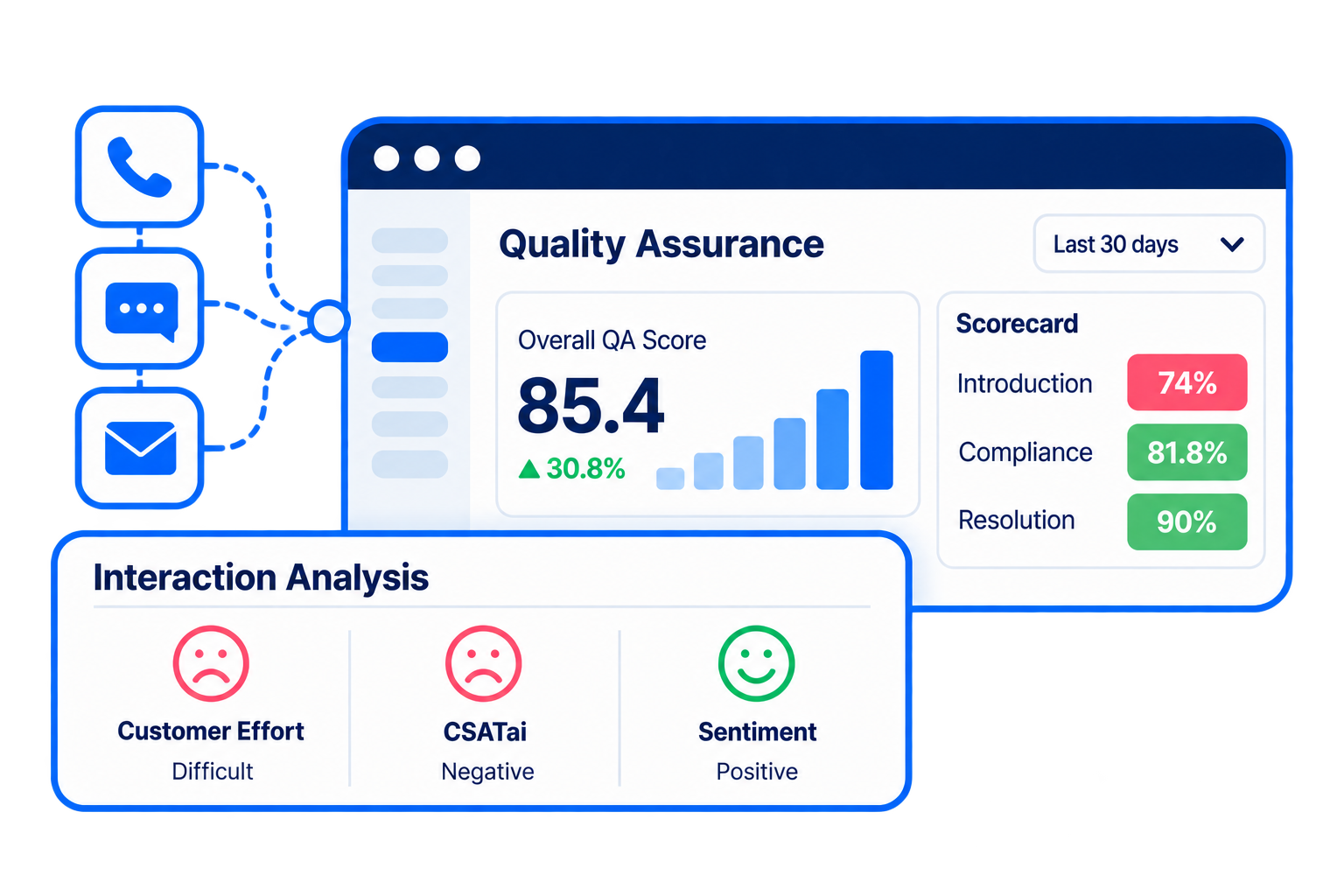
Auto QA changes the way contact and call centers handle their customer experience. You no longer need to rely on just a few samples that might miss your customers’ main pain points and frustrations. By scoring 100% of customer interactions, you bring clarity to your service.
To make every finding count, auto QA scorecards help you tailor your results so your team can do their work better and your customers get an exceptional experience. For example, Thrasio, a consumer goods company, used Capacity’s Auto QA to go from reviewing 3% of customer interactions to 100%, giving agents unbiased, data-backed coaching. The shift saves the CX team about $260K a year.
As just one feature of a full CX automation platform, Auto QA feeds into AI agents, real-time agent assist and guidance, coaching and knowledge orchestration to improve every part of the customer experience while lowering support costs.
Want similar results? Read more about how Capacity evaluates 100% of interactions across channels and agent types.
automatically
FAQs
A strong call center scorecard should have: resolution and accuracy, communication and empathy, compliance and risk, process and efficiency, and customer outcomes. Each criterion should describe an observable behavior that can be scored consistently, such as “verified the caller’s identity before discussing account details,” rather than a vague impression.
Most effective scorecards land somewhere between 10 and 20 criteria. That’s enough to cover the behaviors that matter without overwhelming reviewers or diluting the important items, and if a criterion rarely changes a score or drives coaching, it’s usually a candidate to cut.
Weight criteria by their impact on the customer and the business, giving the most weight to resolution and accuracy and the least to minor process items. Use auto-fail items for critical errors like compliance breaches, and keep scoring simple with yes/no or short three-point scales.
Hold calibration sessions regularly, such as monthly, to keep reviewers and Auto QA aligned, and do a fuller review of the criteria at least once or twice a year. Update the scorecard sooner whenever policies, products, or customer expectations change, and version each change so scores stay comparable over time.