


 Customer Support
 HR & Ops
 IT Support
 Sales & Marketing

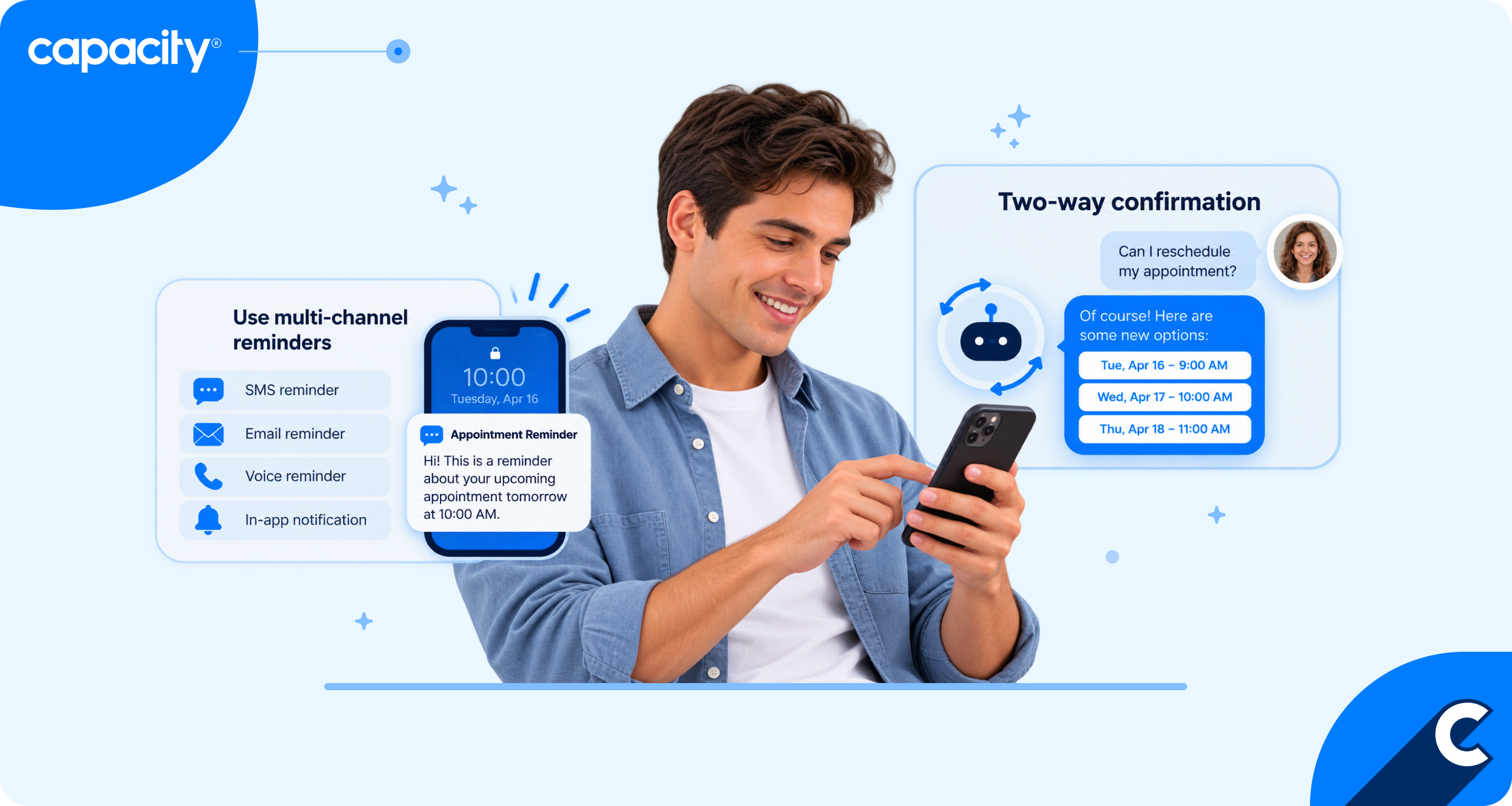
- To automate patient appointment scheduling, use HIPAA-compliant AI agents that connect directly to your EHR and handle booking, rescheduling, cancellations, and reminders by phone, text, or chat.
- 89% of patients prefer to schedule appointments online, yet scheduling is still one of the top reasons patients call their providers.
- The AI patient scheduling software market is expected to grow from $63.04 million in 2024 to $555.09 million by 2033.
- When searching for an AI platform, look for HIPAA compliance, a signed business associate agreement (BAA), SOC 2 Type II certification, encryption in transit and at rest, and full audit logs.
If you’re wondering how to automate patient appointment scheduling, the answer is finding tools that handle the entire process from start to finish without you lifting a finger. In healthcare, though, those tools have to do far more than add a date to a calendar. They must also meet strict compliance standards, since organizations that violate HIPAA can face fines of $1.5 million or more per year and potential criminal penalties.
The right solution combines automation with security. Beyond booking appointments, it manages waitlists, predicts no-shows, verifies insurance eligibility, and keeps patient data protected at every step.
This guide explains how automated patient appointment scheduling works, which AI tools can help, and what to look for when choosing one.
Keep reading to learn:
- Why patient scheduling is still a top contact center problem
- Why you should consider automating patient appointment scheduling
- How appointment scheduling automation works step by step
- What best practices and compliance requirements to follow
Why patient scheduling is still a top contact center problem
89% of patients prefer to schedule their appointments online by themselves (Experian, 2024). And as many as 61% of patients skip medical care due to poor digital experience, and 41% even change providers (Notable, 2022)
However, scheduling is still one of the most common reasons patients call their healthcare providers.
Demand for booking, rescheduling, and canceling appointments rarely spreads out evenly. Calls spike on Monday mornings, after holidays, and during flu season, which leaves patients stuck on hold or giving up. Every abandoned call is a patient who may not book at all, may book with a competitor, or may end up in urgent care instead. Missed reminders and hard-to-change appointments also drive up no-shows, leaving open slots that lead to lost revenue and delay care for others.
Staff pays the price too. Schedulers juggle multiple Electronic Health Record (EHR) system screens, provider-specific rules, referral requirements, and insurance checks, often relying on memory or scattered cheat sheets. That knowledge lives with a few experienced people, so training new hires is slow and every departure hurts. High volume leads to burnout, burnout leads to turnover, and turnover leads to longer hold times and more errors. In the end, it’s a vicious cycle that hurts everyone.
What is automated patient scheduling?
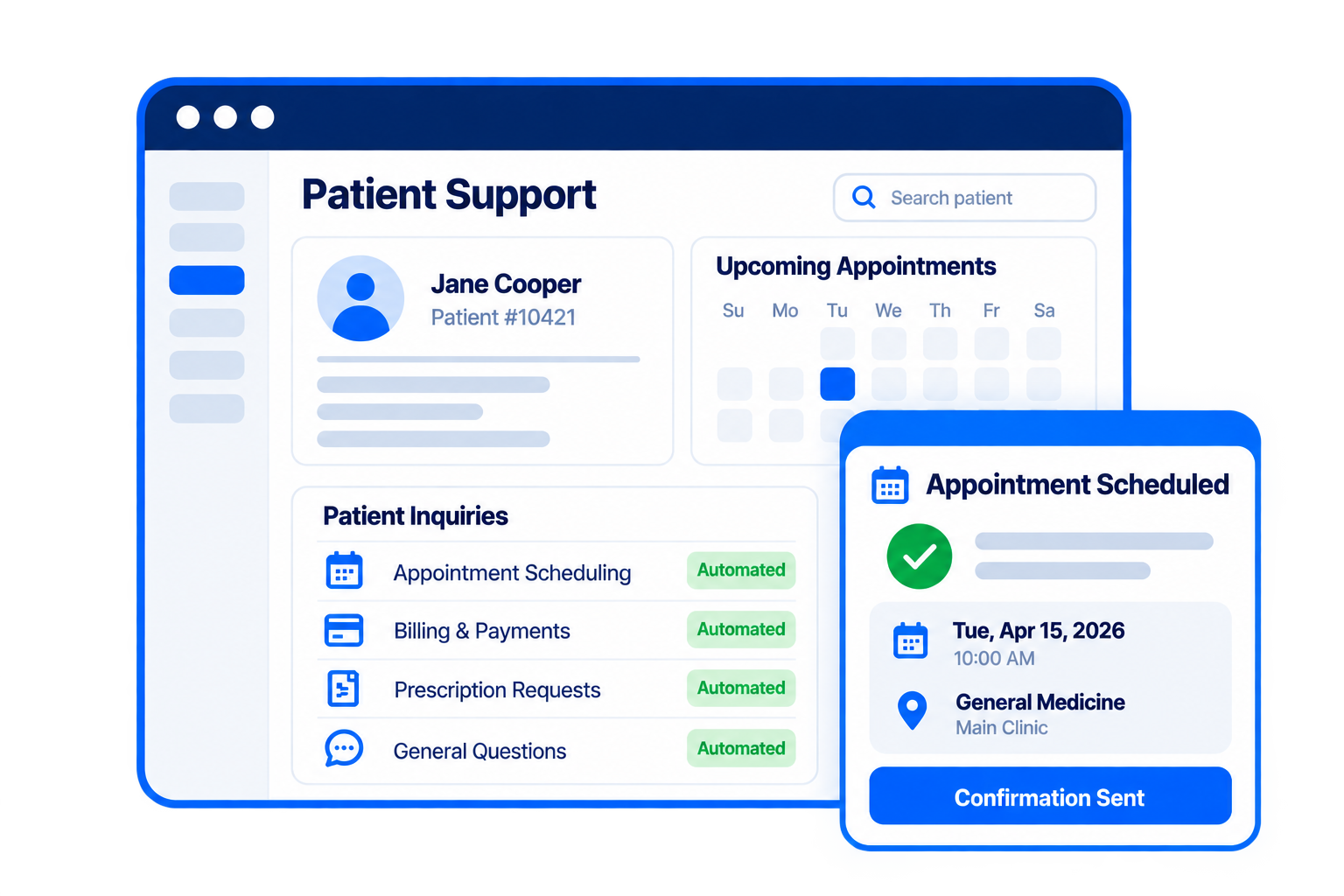
Automated patient appointment scheduling uses AI agents to handle appointment requests from start to finish, with no staff member stepping in. When a patient calls, texts, or chats, the AI agent understands the request in natural language, checks availability, and books, reschedules, or cancels the appointment.
AI appointment scheduling for healthcare connects directly to the EHR scheduling integration and practice management systems, so it can see real-time provider calendars, apply visit-type and referral rules, verify patient details, and write the confirmed appointment back to the record. Reminders and follow-ups can go out automatically, and anything complex or sensitive is handed off to a live agent with full context. Advanced AI systems also meet high privacy and data safety standards without manual work.
Traditional phone trees make patients press buttons or repeat keywords, follow rigid scripts, and usually end up routing the caller to a person anyway. Conversational healthcare AI can hold a real conversation and handle vague or complex requests like “I need to move my Tuesday appointment and add one for my daughter.”
All of this makes the technology appealing. A 2025 Grand View Research report predicts that the global AI patient scheduling software market will grow from $63.04 million in 2024 to $555.09 million by 2033.
What can you automate with AI patient scheduling?
If you’re wondering how to automate patient appointment scheduling, then you need to know what you can automate in the first place. One of the biggest perks of using AI appointment scheduling for healthcare is that it does much more than just schedule appointments. With agentic AI for contact centers, you can automate follow-ups and appointment reminders, predict no-shows, and more. Let’s take a look.
- New patient booking and follow-up: AI agents collect demographics, insurance details, and the reason for the visit, then match new patients with the right provider and visit type. They can also follow up to confirm details, send intake forms, and make sure the first appointment happens.
- Appointment scheduling, rescheduling, and cancellations: While self-service is important for patients and healthcare centers, only 54% of businesses offer self-service options to their patients and customers (Experian, 2025). But with AI, patients can book, move, or cancel appointments any time of day by phone, text, or chat. The AI agent applies provider rules and updates the EHR in real time, so calendars stay accurate without manual work.
- Waitlist management: When a slot opens up, the agent automatically reaches out to waitlisted patients and fills it with the first person who confirms. This recovers revenue lost to cancellations and gets patients seen sooner.
- Appointment reminder automation: Automated reminders go out through the patient’s preferred channel, where they can confirm, reschedule, or cancel right in the conversation. That two-way interaction turns a passive notice into an easy action.
- No-show prediction and proactive outreach: By looking at factors like past attendance, lead time, and visit type, AI can flag appointments with a high risk of no-shows. The agent then reaches out early with extra reminders or an offer to reschedule, freeing the slot for someone else if needed.
- Insurance eligibility checks: The agent can verify coverage before the visit and flag issues like inactive plans or missing referrals. Catching problems early reduces denied claims and day-of surprises at check-in.
- Post-visit scheduling: After an appointment, the agent can book follow-ups, labs, imaging, or specialist referrals based on the care plan. This closes gaps in care that often happen when patients leave without their next visit on the calendar.
Every Patient Touchpoint
How does automated patient scheduling work step by step?
If you’re wondering how to automate patient appointment scheduling and how it works, you need to start by looking at how your patients initiate communication with your business. This will help you understand which channels to automate first. From there, AI agents analyze each patient’s request, identify their intent, and use conversation intelligence to generate the right response. Here’s how it works step by step.
- Patient initiates contact via voice, SMS, chat, or web: The patient reaches out on whatever channel is most convenient, at any time of day. The AI agent answers immediately, so there’s no hold queue or phone tree to navigate.
- AI agent identifies intent and verifies patient identity: The agent understands what the patient is asking for in their own words, whether that’s a new booking, a reschedule, or a cancellation. Before accessing any health information, it confirms identity using details like name, date of birth, and phone number, in line with requirements for a HIPAA-compliant contact center.
- Real-time availability check against the EHR: The agent pulls live provider calendars from the EHR or practice management system. It applies scheduling rules such as visit type, appointment length, location, and referral requirements to offer only slots that work.
- Appointment confirmed and added to the schedule: Once the patient picks a time, the agent books it directly in the EHR, with no manual entry by staff. The patient receives an instant confirmation with the date, time, location, and any prep instructions.
- Automated reminders scheduled and sent: Automated appointment reminders in healthcare go out ahead of the visit by text, call, or email, based on the patient’s preference. AI scheduling for contact centers in healthcare allows patients to confirm, reschedule, or cancel right from the reminder, which keeps the calendar accurate and reduces no-shows.
- Escalation to a live agent: If a request is clinically sensitive or too complex, or if the patient asks for a person, the AI agent hands off to a staff member. The full conversation history and patient context carry over with the handoff, so the patient never has to repeat themselves.
6 best practices for automating patient scheduling you need to try
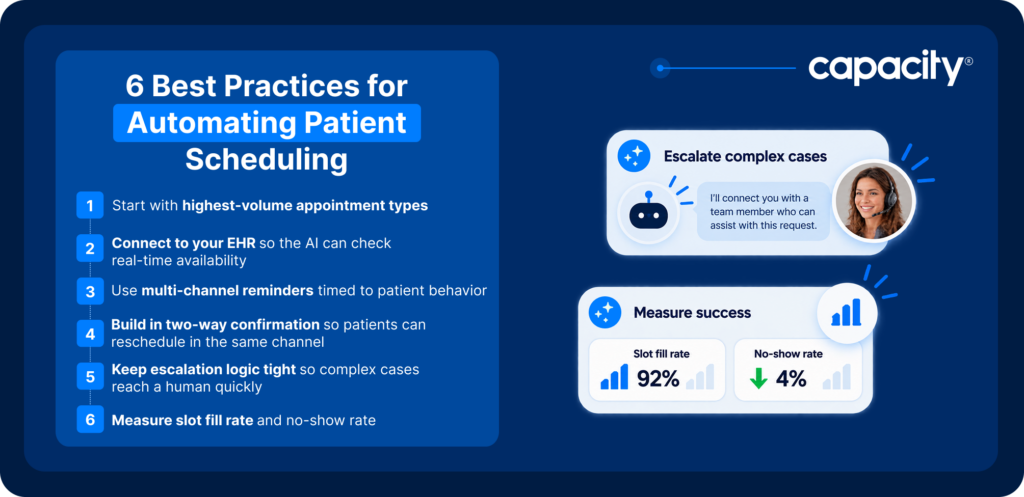
Best practices for automating healthcare scheduling include finding your biggest time wasters, integrating scheduling tools with your other systems so data moves seamlessly, and building an omnichannel call center experience where patients don’t need to repeat themselves, and you don’t lose context. Here’s how healthcare scheduling automation looks in practice.
- Start with your highest-volume appointment types: Focus first on routine, predictable visits like annual physicals, follow-ups, and standard specialist appointments. These drive the most calls and have clear rules, so you’ll see impact quickly and build confidence before expanding to more complex scheduling.
- Connect to your EHR so the AI can check real-time availability: A direct integration lets the AI agent see live calendars and write appointments back without staff involvement. Without it, you risk double-bookings, outdated slots, and manual cleanup, all of which erase the time savings.
- Use multi-channel reminders timed to patient behavior: Send reminders on the channel each patient actually responds to, whether that’s text, voice, or email. Adjust timing based on appointment type and past engagement, since a reminder a week out works for some visits, while a day-before nudge works better for others.
- Build in two-way confirmation so patients can reschedule in the same channel: Let patients confirm, cancel, or pick a new time directly from the reminder instead of calling back. Removing that friction reduces no-shows and frees up slots early enough to fill them.
- Keep escalation logic tight so complex cases reach a human quickly: Define clear triggers for handoff, such as clinical symptoms, frustrated patients, or requests outside standard rules. A fast, context-rich transfer protects patient trust and keeps the AI from trying to handle what it shouldn’t.
- Measure slot fill rate and no-show rate: Track how many available appointments get booked and how many patients actually show up, before and after automation. These metrics show the real impact on access and revenue and point to where scheduling rules or reminder strategies need tuning.
What compliance and security requirements does scheduling automation need to meet?
If you’re figuring out how to automate patient appointment scheduling, HIPAA compliance is the baseline. That’s because scheduling runs on protected health information (PHI): patient names, dates of birth, contact details, appointment types, providers, and insurance data. Any platform that touches this information must be HIPAA-compliant, and the vendor must sign a business associate agreement (BAA) that makes them legally accountable for safeguarding PHI. This also applies to any subcontractors they rely on, such as telephony, SMS, or AI model providers.
Look for SOC 2 Type II certification as well. Unlike a one-time assessment, a Type II report shows that an independent auditor has verified the vendor’s security controls are working consistently over time.
Data handling deserves close attention because automation creates new records that carry PHI risk. Voice recordings, call transcripts, SMS threads, and chat logs can contain identifying details and health information, and each needs to be encrypted in transit and at rest, stored with strict role-based access, and retained only as long as necessary. Ask vendors where data is stored, who can access it, whether it’s used to train AI models, and how it’s deleted. Strong identity verification before sharing appointment details and complete audit logs of every interaction round out the controls that keep patient data protected.
How Capacity automates patient scheduling across every channel
Capacity’s AI agents handle patient interactions across voice, healthcare chatbot, SMS, and email, so patients can book, reschedule, or cancel appointments, or join a waitlist, whenever it’s convenient for them. Patients can speak or type naturally, and the AI responds in a conversational way that feels like talking to a live agent. Patients can also move between channels mid-conversation, starting on a call and finishing over text, for example, while the AI keeps the full context.
AI healthcare scheduling automation doesn’t stop at booking. Capacity sends automated voice and SMS reminders and follow-ups to cut down on no-shows, with options to reschedule directly from the message.
Behind the scenes, the platform connects to your EHR, practice management, and contact center service systems, including Epic and AthenaHealth, so schedules update in real time. The patient self-scheduling AI verifies callers, identifies what they need, and resolves routine requests on its own while routing urgent cases to staff.
Security is built in from the start. Capacity is HIPAA-compliant, SOC 2 Type II certified, and meets CCPA, FERPA, and GDPR requirements, which means its handling of patient data meets healthcare’s baseline privacy standard, and its security controls have been independently audited over time.
That’s why even the biggest public healthcare organizations trust Capacity. The UK’s National Health Service (NHS) used the platform to onboard more than 20,000 new contact center agents in under a month during the COVID-19 pandemic. With Agent Guidance, those agents ran 241,000 guided scripts a day, while meeting strict government compliance requirements every time.
Automate patient appointment scheduling to improve CX and boost your revenue
Automating patient appointment scheduling can save a lot of time, drive extra revenue, and improve patients’ experience with your business. But to get the most out of it while prioritizing patient data security, you need the right healthcare call center software to begin with.
Capacity, a CX automation platform, helps healthcare call centers unify their information and use it to power patient scheduling, healthcare billing and collections, reminders, patient inquiries, waitlist management, and many other functions without your team lifting a finger.
Capacity’s AI Knowledge Orchestration Layer lets you unify and power healthcare-focused AI agents, agent assist, QA, conversation intelligence, and outbound campaign automation from one source of truth so that every patient gets only up-to-date and accurate information.
But most importantly, every bit of data that passes through Capacity is 100% secure. We’re fully compliant with HIPAA, CCPA, FERPA, and GDPR, and we’re SOC 2 Type II certified.
Want to start automating appointment scheduling and reduce no-shows with AI?
Healthcare Contact Centers
FAQs
AI automates appointment scheduling in healthcare by having AI agents answer patient calls, texts, and chats, understand the request in natural language, and verify the patient’s identity. They then check real-time availability in the EHR, book or update the appointment, and send confirmations and reminders, handing off to staff only when human judgment is needed.
Healthcare contact centers reduce no-shows by sending reminders on each patient’s preferred channel and making it easy to confirm, cancel, or reschedule right from the message. Pair that with no-show prediction to reach high-risk patients early, and use waitlist automation to fill any slots that open up.
Yes, many AI scheduling platforms, including Capacity, integrate with Epic, AthenaHealth, and other major EHRs.
Automated appointment reminders reduce no-shows, keep schedules full, and cut down on outbound calls staff would otherwise make. Two-way reminders also free up canceled slots sooner, so they can be offered to other patients.
Start by identifying your highest-volume, most routine appointment types and confirming your EHR integration options. Choose a HIPAA-compliant, SOC 2 Type II certified vendor like Capacity that will sign a BAA, define clear escalation rules, and track slot fill rate and no-show rate to measure impact as you expand.